With the blind transfer feature, vendors can use the addParticipant Connector API method to hang up and transfer a call rather than add a caller to an existing conversation.
To enable blind transfer:
- Using the Connector API, set the value of
hasBlindTransfer in CapabilitiesResult to true. See getCapabilities().
- Update the implementation of
addParticipant() to perform a blind transfer when the isBlindTransfer argument is true. A sample blind transfer is implemented in the demo connector.
- After a transfer voice call is created through
addParticipant(), Salesforce fires a HANGUP event for the first call from the base connector. Do not publish a HANGUP event for the first voice call from a partner connector. Wait until the second rep ends the transferred call to publish a HANGUP event. Publishing a HANGUP event for the first voice call from a partner connector causes unintended issues.
To perform a blind transfer:
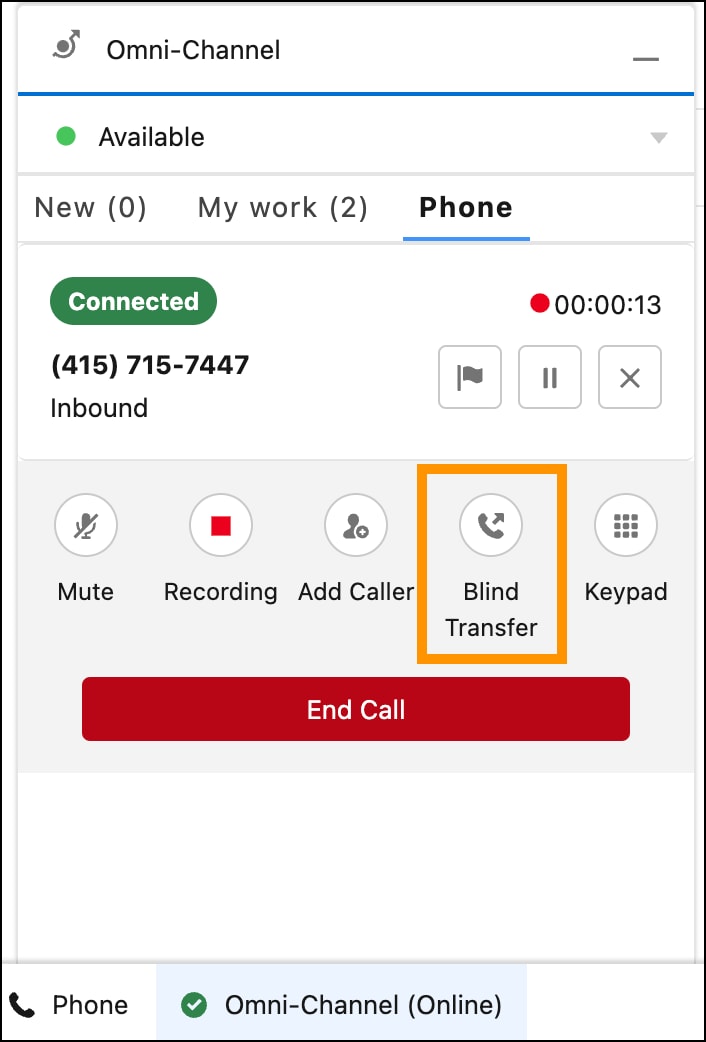
- Using a softphone, when the call is connected, a new button with the label “Blind Transfer” shows up. Click this button to call
addParticipant(contact, call, true).
- Using a hardphone, perform a blind transfer and publish the
PARTICIPANT_ADDED event.
See Also


 j
j