With SSR, HTML is rendered on the server and then sent to the client along with any JavaScript needed to hydrate it. Hydration refers to the process of adding interactivity to the component on the client side.
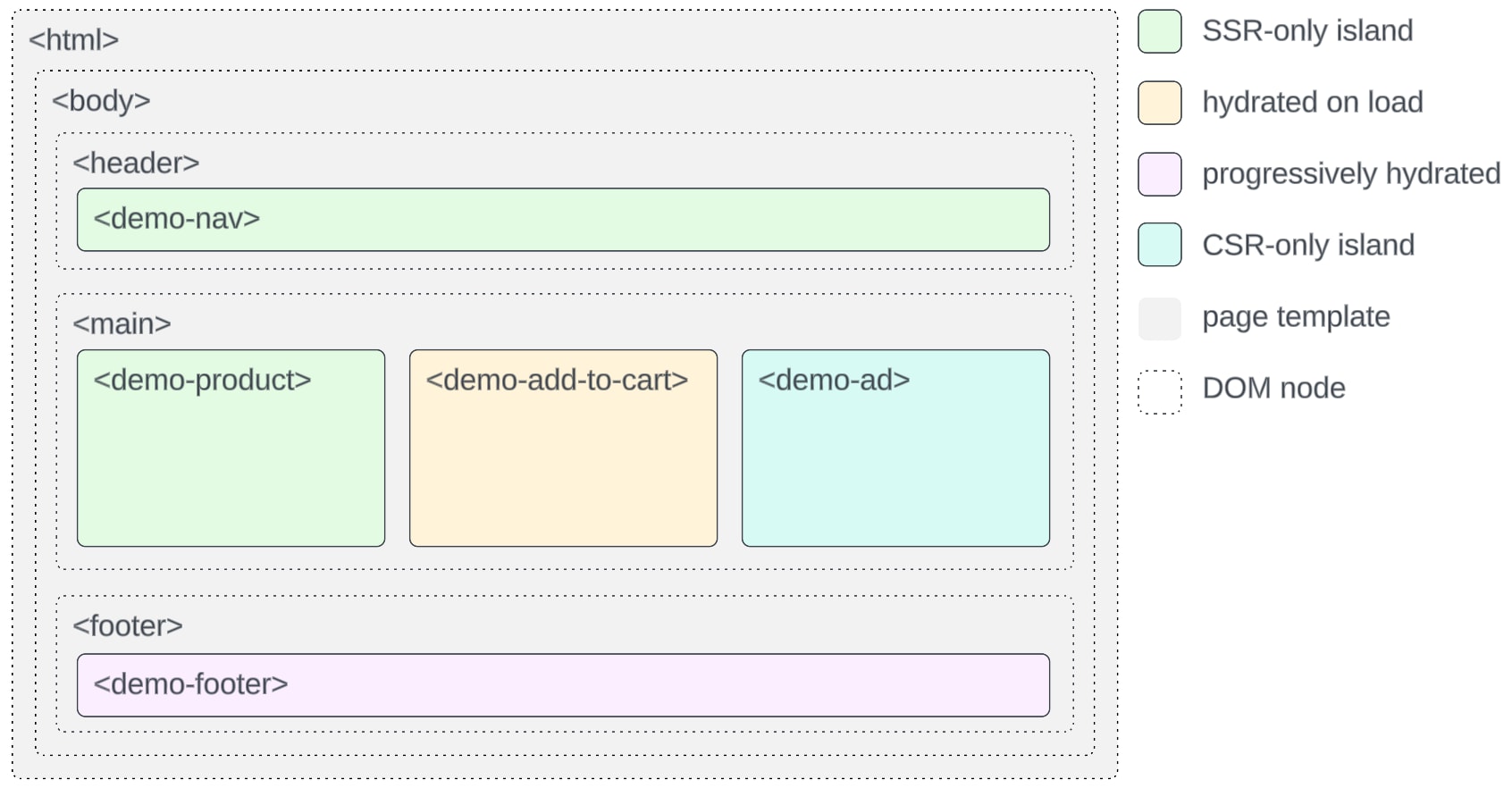
However, there’s a performance cost associated with loading and executing excess JavaScript. To counteract this issue, islands architecture lets you create islands of interactivity on a server-rendered page. Rather than an all-or-nothing approach where SSR or CSR is controlled at the page level, you have granular control over which components require hydration, with the remainder of the page being static HTML.
Note that a component must be hydrated if it contains dynamic content or is interactive, including:
Overriding the render method of LightningElement
Implementing the renderedCallback lifecycle hook (this function isn’t called during SSR)
Using dynamically bound text or attributes that can change on the client (for example, <h2>{dynamicText}</h2>)
Attaching events
Composing other components that need to be hydrated (for example, <template><c-form></c-form></template>)
For LWR on Node.js, you can create custom components that use the following configurations.
SSR with Hydration
Components render on the server side and get hydrated on the client side. They produce hydrated islands. This configuration is suitable for interactive components, like a carousel.
SSR only
Components render on the server side. This configuration is suitable for static components (like images) that don’t require hydration.
CSR only
Components render on the client side. This configuration is suitable for components that rely on client-side APIs and data.
Feature is available as a developer preview. Feature is not generally available unless or until Salesforce announces its general availability in documentation or in press releases or public statements. All commands, parameters, and other features are subject to change or deprecation at any time, with or without notice. Do not implement functionality developed with these commands or tools.


 j
j