After a router confirms that an incoming location change matches a route definition, what happens next?
The router accesses RouteDefinition.handler to determine the associated view, or the component that displays when the application navigates to a location. A RouteHandler module uses its update() function to provide the router with the right view to display.
Let’s break down this process in detail.
Route handler modules, which are used in client-side routing, aren’t the same as route handler functions, which are used in server-side routing.
Note
Call RouteDefinition.handler
After a router validates an incoming location change, it accesses the handler property of the corresponding route definition to determine the new view.
RouteDefinition.handler contains a Promise for the RouteHandler module. In LWR, route handler modules are always provided via promises. Promises allow the module code to be lazily loaded, which improves application performance.
Create RouteHandler module
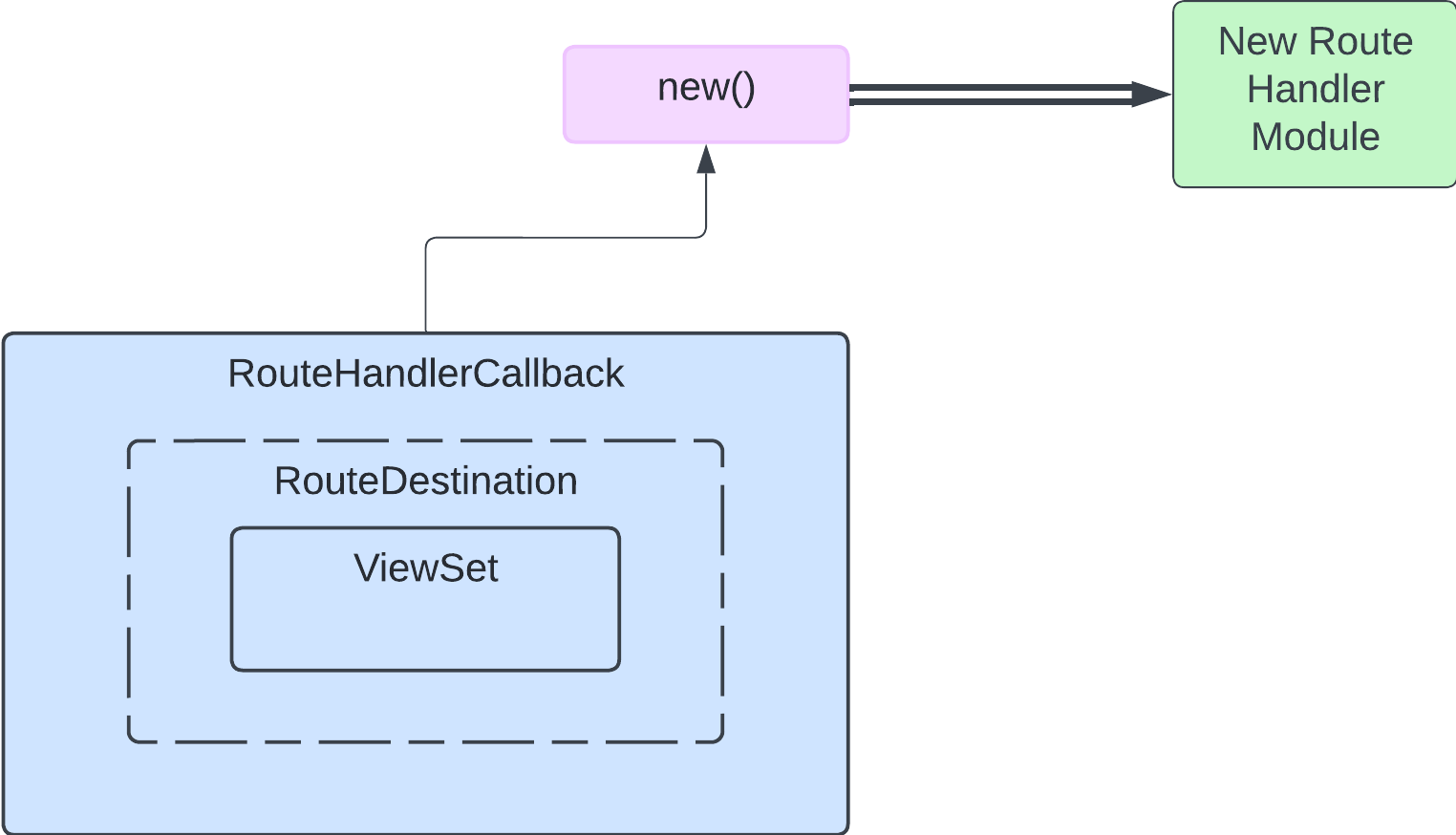
Then, the router uses the new() method to create a RouteHandler module. The route handler is active upon construction, and it can immediately pass results to the callback via the update() method.
new()
new() takes a reference to a route handler callback (RouteHandlerCallback).
new()
1public void new(callback: RouteHandlerCallback)
RouteHandlerCallback and RouteDestination
RouteHandlerCallback contains a route destination object (RouteDestination). RouteDestination contains a ViewSet object that specifies the view to display.
It’s important to maintain a reference to the callback in the RouteHandler module, like this:
RouteHandler module
1export default class RecipeHandler{2 callback: RouteHandlerCallback; // Callback for the route handler module RecipeHandler34 constructor(callback: RouteHandlerCallback){5 this.callback = callback; // Important: maintain a reference to the callback6}7}
Pass RouteInstance to RouteHandler.update()
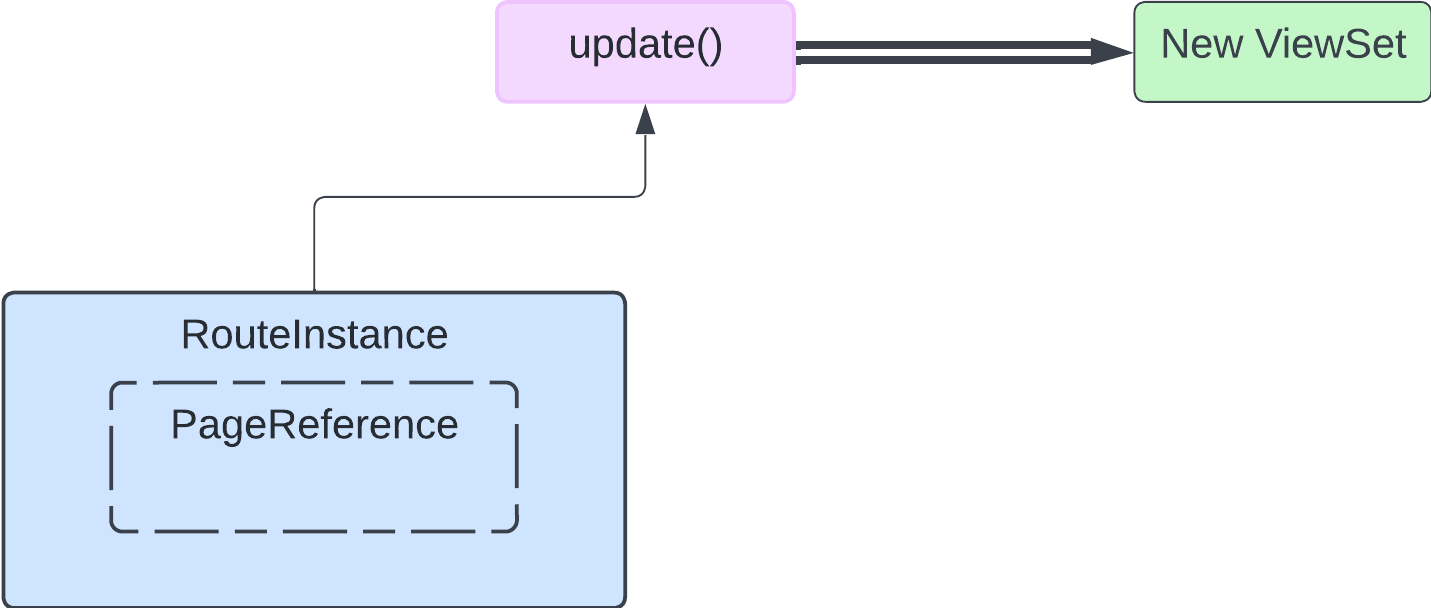
Finally, RouteHandler.update() takes RouteInstance and returns view component information via a callback from the update function. This changes what the user sees in the browser.
RouteInstance contains information about a location (PageReference). It tells the route handler which view to show the user.
The update() method accepts a RouteInstance object.
update() invokes the RouteHandlerCallback from RouteHandler.new to return the ViewSet that corresponds to the callback’s RouteDestination.
RouteHandler Example
recipeHandler below is an example of a RouteHandler module.
my/recipeHandler RouteHandler module
1import type{Module, RouteHandlerCallback}from "lwr/router";23export default class RecipeHandler{4 callback: RouteHandlerCallback;56 // Create new RouteHandler module via callback7 constructor(callback: RouteHandlerCallback){8 this.callback = callback; // Important: maintain a reference to the callback9}1011 // Implementation of dispose()12 dispose(): void{13 // perform cleanup tasks14}1516 // Implementation of update()17 update(routeInfo: RouteInstance): void{18 // called every time a RouteDefinition with this handler matches a location during processing19 const{20 attributes: {cat}, // location information21} = routeInfo;22 const category = cat || "entree"; // cat may be null23 const viewSpecifier = `my/${category}Recipe`; // e.g. "my/dessertRecipe"24 this.callback({25 viewset:{26 // return view component info based on the recipe's category27 default:{28 module:(): Promise<Module>=> import(viewSpecifier),29 specifier: viewSpecifier,30},31},32});33}34}
Simple Client-Side Routing includes examples of additional route definition handlers, including for branching logic.
dispose()
RouteHandler.dispose is called when a route handler is no longer needed by the app and no longer emits view changes. A disposed route handler can’t be used again.
Next Steps
To use a router in your app, you have to attach it to the DOM with a router container. To learn how, check out Router Containers.
Developer Preview Feature
Feature is available as a developer preview. Feature is not generally available unless or until Salesforce announces its general availability in documentation or in press releases or public statements. All commands, parameters, and other features are subject to change or deprecation at any time, with or without notice. Do not implement functionality developed with these commands or tools.


 j
j