


 j
j[設定] でのコンポーネントの表示
売上予測ページのコンポーネントの作成
エクスペリエンスビルダーサイト
ユーティリティバー
Outlook および Gmail
スタンドアロンアプリケーション
Visualforce ページ
フォーム要素
ファイルを開く
アラートモーダル
確認モーダル
プロンプトモーダル
トースト通知
モバイルデバイス機能の使用
CRM Analytics ダッシュボード
コンポーネントは、成功、エラー、警告などをユーザにポップアップ表示で通知するトースト通知を送信できます。単に情報を提供するだけのトーストも可能です。
Lightning Experience または Experience Cloud の Aura サイトでトースト通知を表示するには、lightning/platformShowToastEvent モジュールから ShowToastEvent をインポートします。
ShowToastEvent は、Aura サイトのログインページではサポートされていません。また、Experience Cloud の LWR サイトでは、ShowToastEvent はサポートされていません。代わりに、lightning/toastContainer モジュール (ベータ) を使用します。
Note
lwc-recipes リポジトリにはトーストをカスタマイズして送信できるコンポーネントがあり、バリエーションを試すことができます。
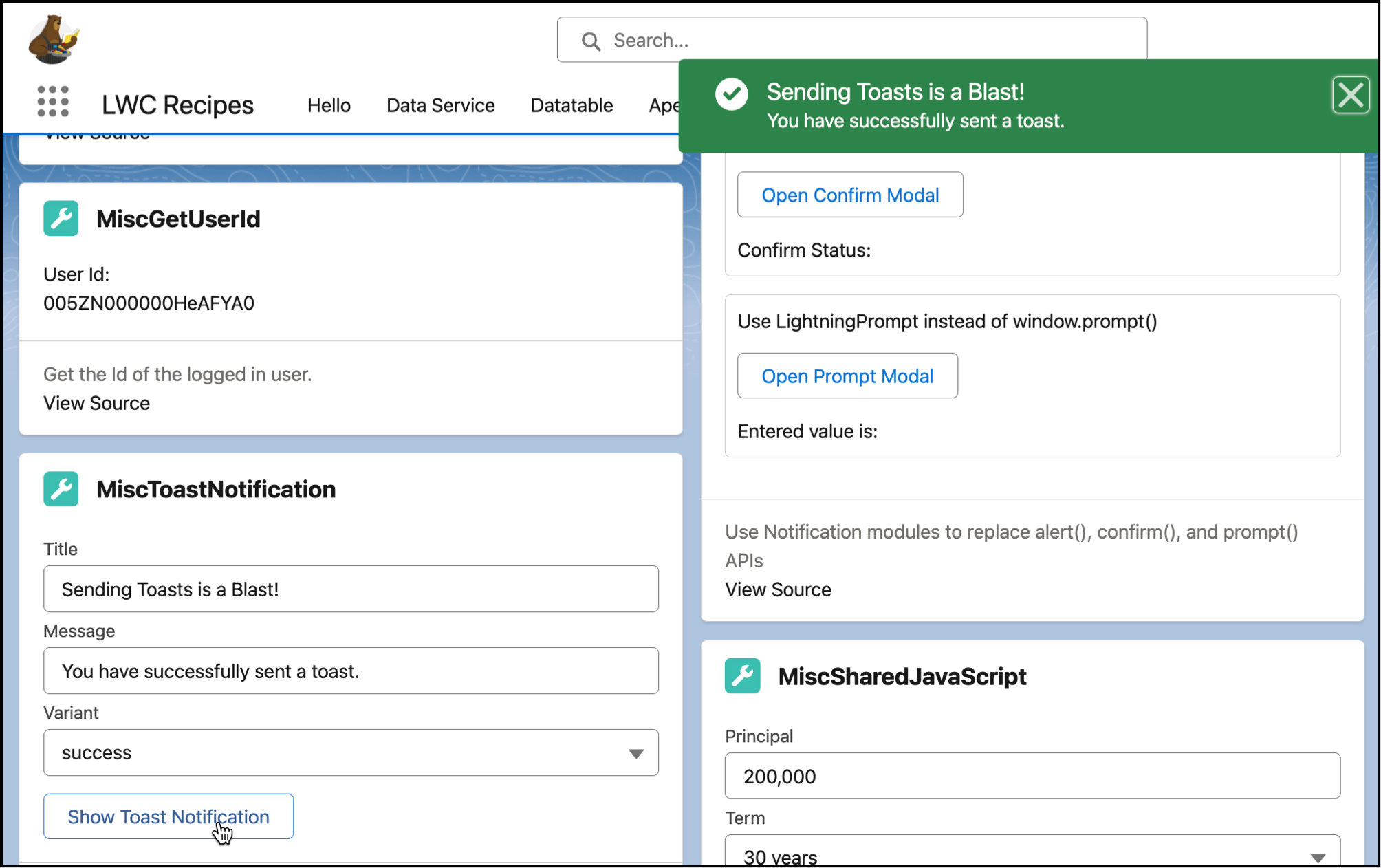
HTML テンプレートは、スクリーンショットで示した UI を構築します。
1<!-- miscToastNotification.html -->
2<template>
3  <lightning-card title="miscToastNotification" icon-name="custom:custom19">
4    <div class="slds-m-around_medium">
5      <lightning-input label="Title" value={_title} onchange={titleChange}></lightning-input>
6      <lightning-input
7        label="Message"
8        value={message}
9        onchange={messageChange}>
10      </lightning-input>
11      <lightning-combobox
12        label="Variant"
13        value={variant}
14        onchange={variantChange}
15        options={variantOptions}>
16      </lightning-combobox>
17      <p class="slds-m-vertical_small">
18        <lightning-button label="Show Notification" onclick={showNotification}></lightning-button>
19      </p>
20    </div>
21  </lightning-card>
22</template>
単純に ShowToastEvent を lightning/platformShowToastEvent からインポートします。title、message、variant、および mode プロパティを持つ ShowToastEvent イベントを作成し、ディスパッチします。次の例では mode のデフォルト値を使用するので、含まれていません。
1// miscToastNotification.js
2import { LightningElement } from "lwc";
3import { ShowToastEvent } from "lightning/platformShowToastEvent";
4
5export default class MiscToastNotification extends LightningElement {
6  _title = "Sample Title";
7  message = "Sample Message";
8  variant = "error";
9  variantOptions = [
10    { label: "error", value: "error" },
11    { label: "warning", value: "warning" },
12    { label: "success", value: "success" },
13    { label: "info", value: "info" },
14  ];
15
16  titleChange(event) {
17    this._title = event.target.value;
18  }
19
20  messageChange(event) {
21    this.message = event.target.value;
22  }
23
24  variantChange(event) {
25    this.variant = event.target.value;
26  }
27
28  showNotification() {
29    const evt = new ShowToastEvent({
30      title: this._title,
31      message: this.message,
32      variant: this.variant,
33    });
34    this.dispatchEvent(evt);
35  }
36}
ShowToastEvent パラメータ | 型 | 説明 |
|---|---|---|
title | String | ヘッダーとして表示されるトーストのタイトル。 |
message | String | ユーザへのメッセージを含む文字列。 |
messageData | String[] または Object | message 文字列の {index} プレースホルダを置換する url と label の値。 |
variant | String | トーストに表示されるテーマとアイコン。有効な値は次のとおりです:
|
mode | String | トーストの表示期間を指定します。有効な値は次のとおりです:
|
このコードを実行するには、github.com/trailheadapps/lwc-recipes ソースを Salesforce 組織にプッシュします。
Tip
関連トピック
The Japanese Summer '24 guide is now live
j