Integrate Agentforce Conversation Client in Your React App (Beta)
With Agentforce Vibes, developers can integrate conversational AI interactions into React applications for employee use cases. To add these interactions, developers integrate the Agentforce Conversation Client (ACC). The ACC package is built on the Lightning Out 2.0 platform as a Lightning Web Component Interface (LWCI). This enables the conversational UI to be seamlessly embedded and rendered within non-LWC tech stacks, such as a React host environment.
The primary goal of this integration is to provide users with immediate access to agent-driven insights—such as high-demand property data or real-time sales metrics—directly within their web dashboard. By embedding an Agentforce Conversation Client, users can retrieve complex information through natural conversation instead of manually researching vast amounts of data.
- Reduce UI Rebuild Effort: Drop a pre-built ACC UI container into your app rather than coding an interface, and connection logic from scratch. Leverage built-in streaming infrastructure: ACC provides the complex infrastructure required to handle continuous, real-time token streaming, ensuring a natural and responsive conversational experience.
- Render Rich Components Dynamically: A key differentiating pattern of ACC is its ability to automatically render rich UI components using standard and custom Lightning Types natively within the conversation.
- Support Personalization at Runtime: ACC automatically interprets the Employee Agent's response and renders the correct UI component on the fly without hard-coding.
- Enable Write Once, Deploy Anywhere: Support a consistent experience whether the Employee Agent is accessed by an employee in Service Cloud, a customer on a public website, or embedded in a custom app.
- Cross-Framework Compatibility: Built on the Lightning Out 2.0 platform as a Lightning Web Component Interface (LWCI), the ACC can be embedded into any non-LWC tech stack.
- Dynamic Flexibility: Developers can use natural language prompts to switch between Employee Agents or automate UI styling updates.
- Direct Agent Connection: Seamlessly connect your custom UI to Employee Agents configured with specific topics, actions, and instructions for domain-specific tasks.
-
Token-by-Token Streaming: ACC handles end-to-end token streaming for various content types, displaying true progress status updates in the ACC UI to indicate the current execution step, thereby reducing perceived latency.
-
Conversation Entry Point: Provides a default Floating Action Button (FAB) experience that serves as the primary entry point for the Agentforce Conversation Client. Upon interaction, it initializes the conversational interface and displays a configured welcome message confirming a secure connection to the Agentforce Employee Agent.
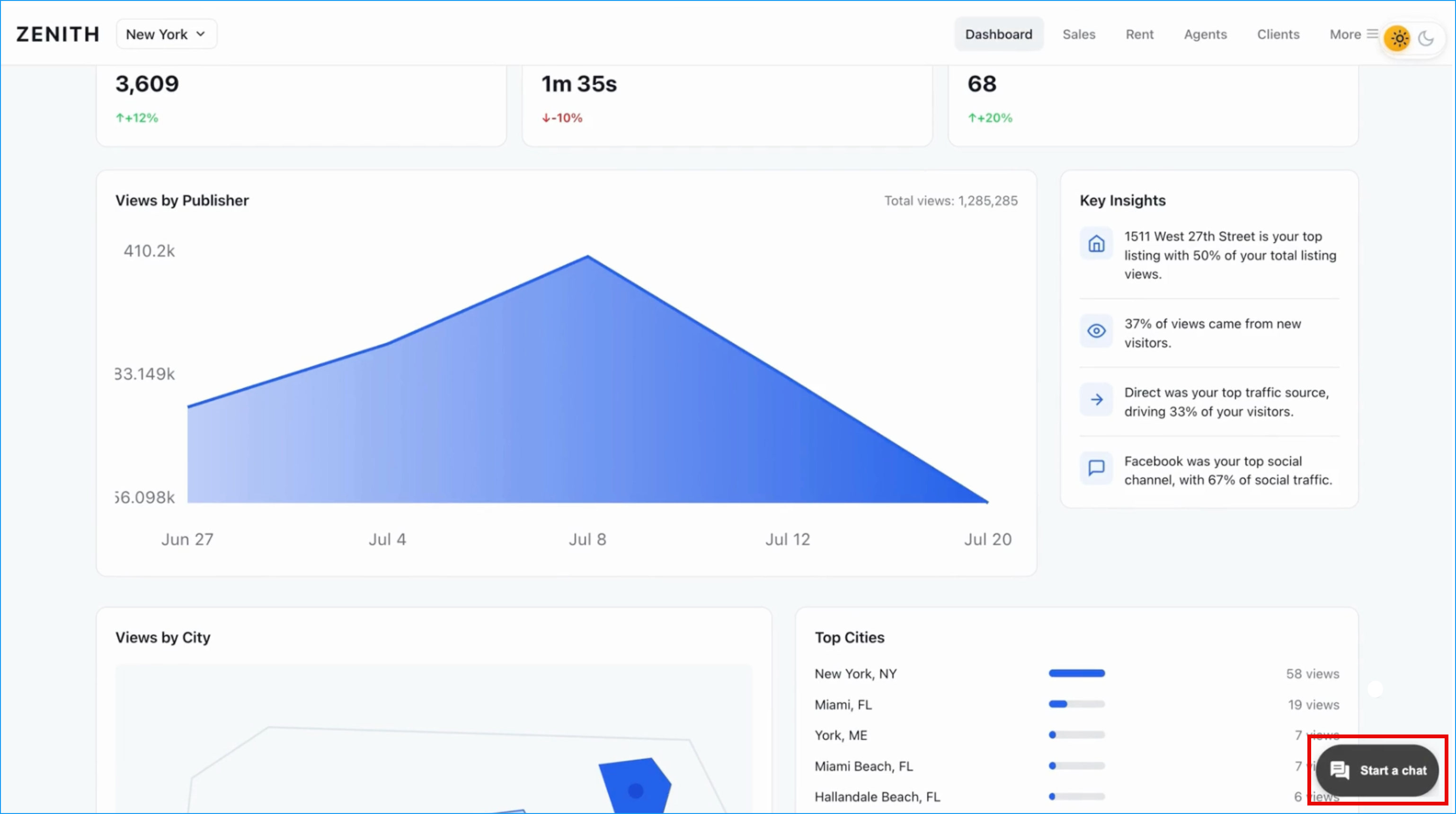
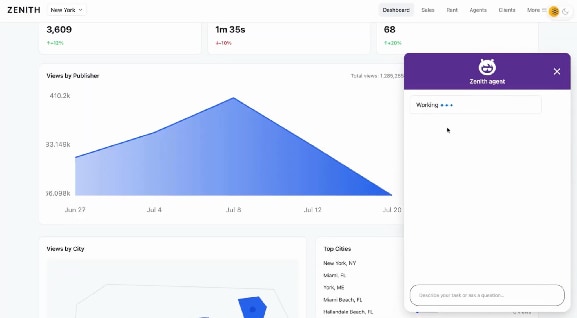
-
Lightning Types Integration: A primary differentiating pattern of the ACC that automatically maps Salesforce Lightning Types to the correct UI renderers for input, output, list, and picklist. This allows it to render complex, interactive UI components—such as flight bookings or property listings—directly within the React application. For more information about Lightning Types, see Lightning Types in Agent Action.
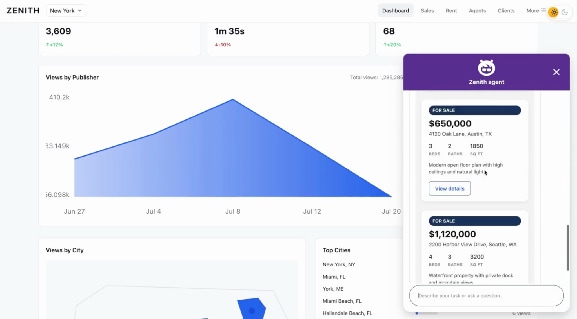
-
Dynamic Rendering Engine: Constructs UI components in real-time based on inputs from the Agentforce Employee Agent planner and Lightning type responses. The engine dynamically assembles elements on-the-fly and injects them into the designated panel.
-
Brand Styling and Theming: Provides customizable brand styling hooks (fonts, colors, borders, spacing) and component substitutions to match your custom branding.
-
Customizable UI Branding via SDK Tokens: Enables developers to use Agentforce Vibes and natural language prompts to refine the conversational interface. This capability utilizes the ACC SDK’s UI style tokens to systematically update elements like header colors and message block styling to match the host application's branding.
-
Responsive Display Configurations (Inline Mode): The interface is highly responsive across various dashboard layouts and supports specialized configurations, specifically Inline Mode, which allows the ACC UI to be rendered inside a designated parent container within the internal React application.
Before beginning the integration, ensure that you configured your environment and Salesforce org correctly. See Configure Agentforce Conversation Client.
Determine your integration path based on your application host:
- External Applications: If you are building a standalone web application hosted outside of Salesforce, skip this document and refer to the Agentforce Conversation Client Developer Guide.
- Internal Applications: If you are building an internal React app to be hosted inside Salesforce, choose your development method.
- If you are using the VS Code extension and natural language prompts, proceed to the Add ACC to Your React App with Agentforce Vibe section.
- If not, skip to the Add ACC to Your React App Manually section to manually implement the host component.
- Internal custom LWC Integration: If you are not building a React app and only need to programmatically open or close the native side panel from a custom Lightning Web Component (LWC) inside Salesforce, refer to the Agentforce Conversation Client API.
Agentforce Vibes enables developers to generate and refine conversational interfaces using natural language prompts within a supported IDE. Agentforce Vibes uses rules and skills to understand developer intent, automatically manipulating project files like index.tsx and managing necessary npm dependency installations.
For the extension to process the necessary agent skills, ensure your project directory adheres to the structure defined in the Prerequisites.
With the workspace configured, utilize natural language prompts in the IDE to define the structural placement, dimensions, and docking behavior of the panel within the React DOM.
- Example Prompt: "Create an Agentforce Employee Agent panel that is docked to the right of the main screen."
Configure visual states and styling, such as floating/expanded transitions or specific header border radiuses, without writing manual CSS.
- Example Prompt: "The Agentforce Employee Agent panel should start as a floating fab icon docked to the lower left side of the page; when a user clicks the icon, it should expand into a full chat panel."
If you skipped the Agentforce Vibes integration, you must manually implement the interface using the @salesforce/agentforce-conversation-client npm package.
Manual integration requires invoking the createAccWidget method. This method wraps the ACC widget with Lightning Out 2.0 and injects the conversational interface into a designated DOM container.
Implement the code using a standard React reference (useRef) and a lifecycle hook (useEffect) to manage the mounting and unmounting of the widget relative to the React component tree.