


 j
jCreate Actions from Named Queries
Create Custom Actions Using Apex InvocableMethod
Get Started
Lightning Types
Provide Global Copy to Action Responses
Cite Agent Responses with Apex
Agent actions use standard Lightning types to define the structure, validate, and display of data in Salesforce when an action is triggered.
Here’s how Lightning types are used in the context of agent actions.
Mapping Data Types to Lightning Types
In Salesforce, Apex classes are often used to handle business logic, such as processing inputs and returning results. For example, consider an agent action called Flight Booking that searches for available flights. When you trigger this agent action, the inputs and outputs from the Apex class are mapped to standard Lightning types. So if an Apex class accepts inputs like dates, strings, and numbers, these data types are mapped to the corresponding standard Lightning types, such as lightning__dateType, lightning__stringType, and lightning__numberType. This mapping ensures that the data is structured correctly.
Schema Definition and Validation
Each standard Lightning type has an associated schema that defines the structure of the data and the rules for its validation, such as maximum length and format.
This schema ensures that the data that you enter to the action conforms to the expected type and format, which helps to avoid errors during execution.
For example, if an action expects you to enter Date data, the schema ensures that you enter only a valid date.
Automatic UI Generation
When you trigger an action, Salesforce automatically generates the appropriate UI components for the action’s inputs and outputs based on the mapped Lightning types. The UI displays relevant input fields, pickers, or tables according to the standard Lightning type.
For example:
Rendering the Data
The renderer component associated with each Lightning type displays the data when an action is executed.
For example:
This rendering ensures that the output is displayed in a structured and readable way, whether it’s a list, table, or simple text.
Out-of-the-Box Components
When you use standard Lightning types, Salesforce provides ready-to-use components for input and output with minimal configuration required. These components handle most use cases, offering a seamless experience when working with standard Lightning types in agent actions.
Here’s how agent actions output is displayed by using standard Lightning types.
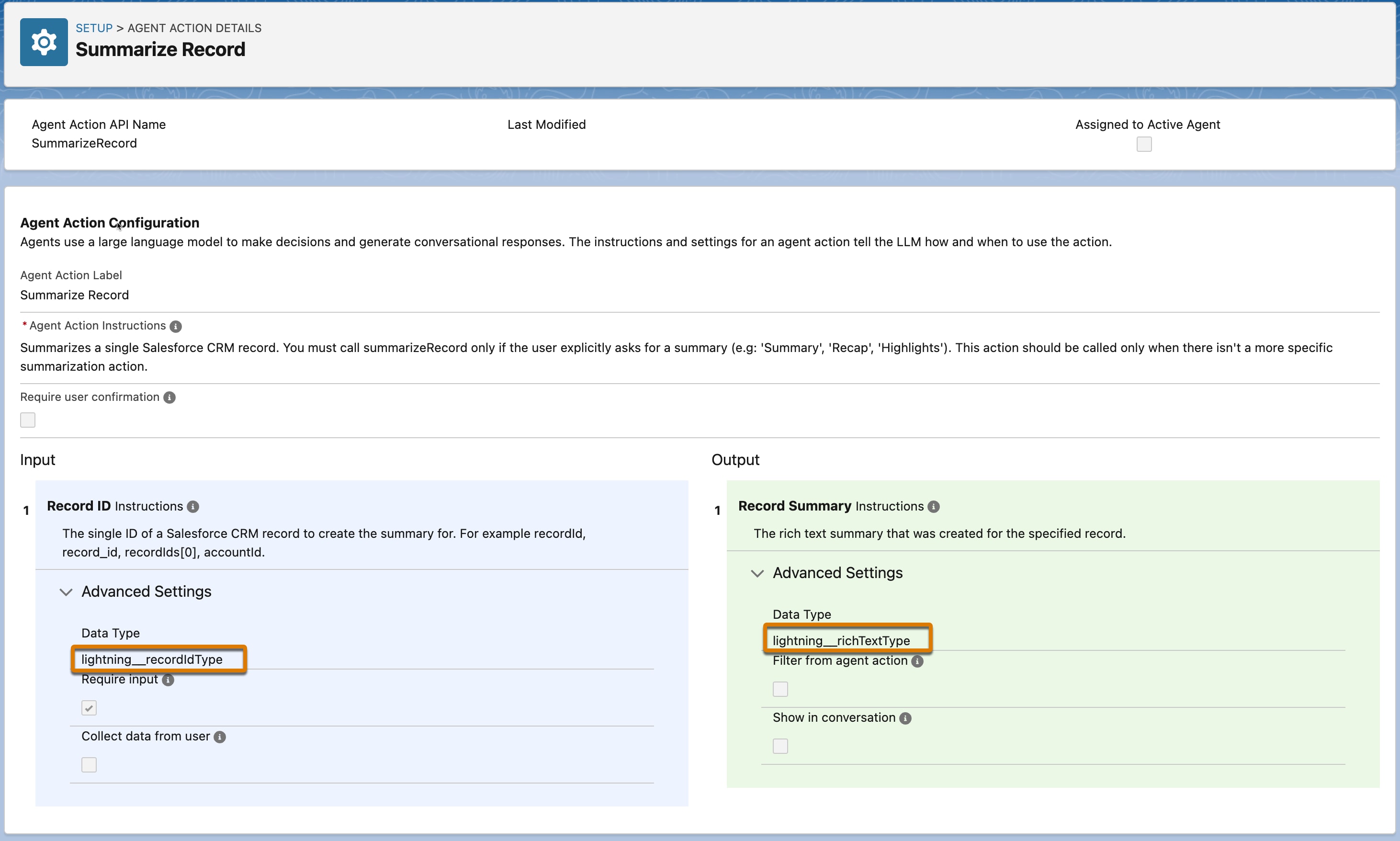
Agent Action: Summarize Record
This image shows the input and output settings for the ‘Summarize Record’ agent action, which uses standard Lightning types.
Here’s how a record summary appears in the action output.
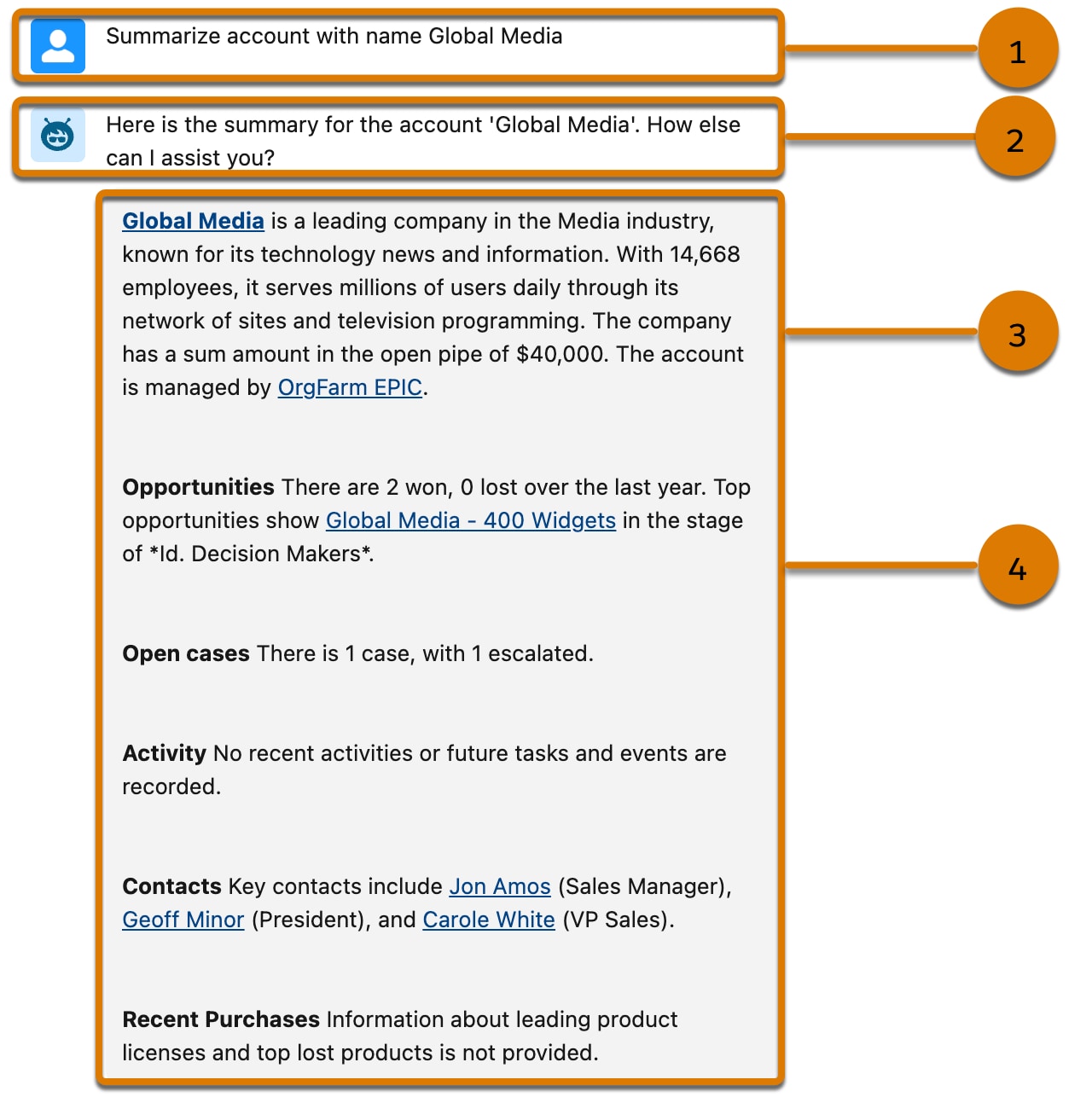
The agent action output has these elements.
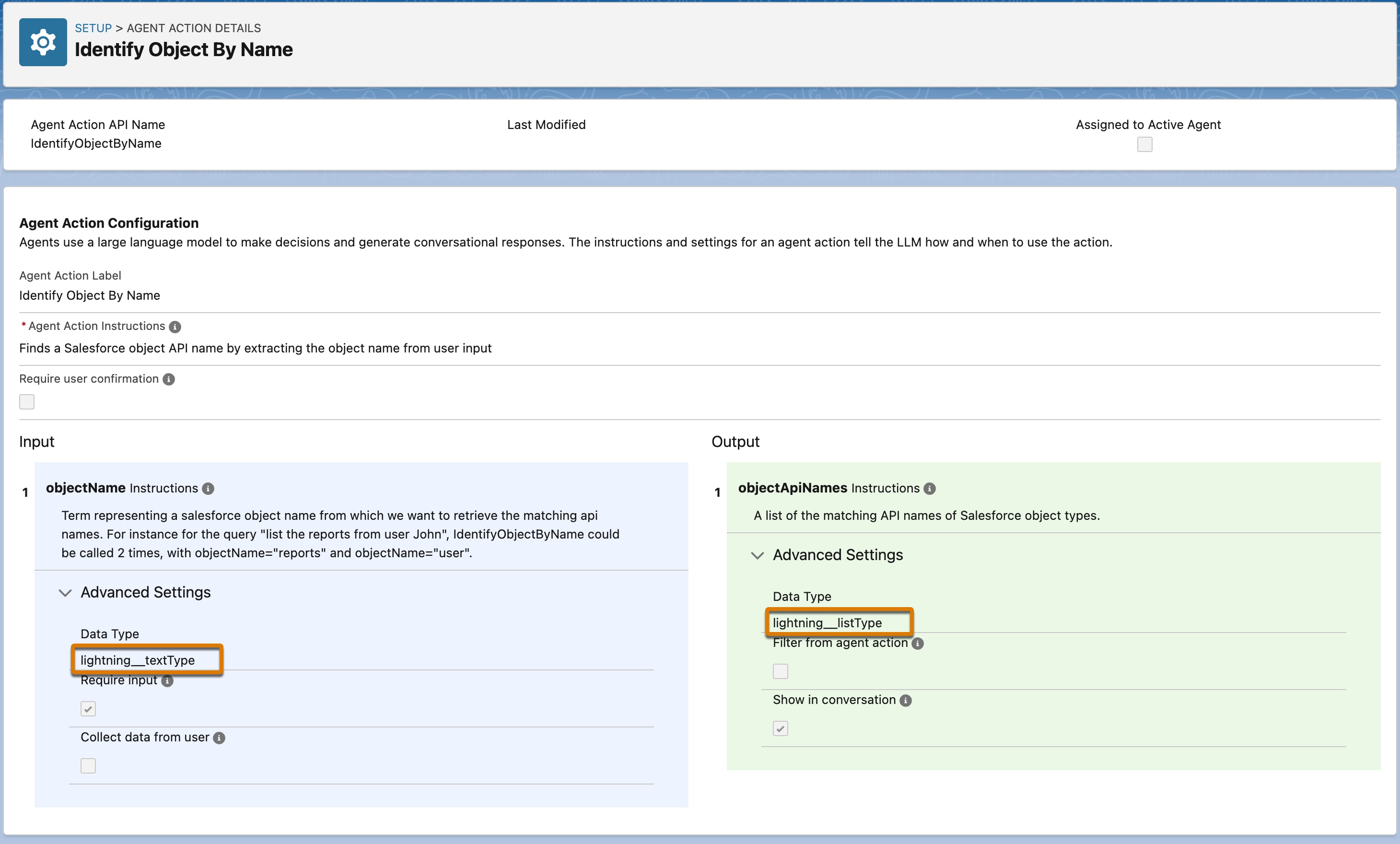
Agent Action: Identify Objects By Name
This image shows the input and output settings for the ‘Identify Object By Name’ agent action, which uses standard Lightning types.
Here’s how the list of accounts appears in the action output.
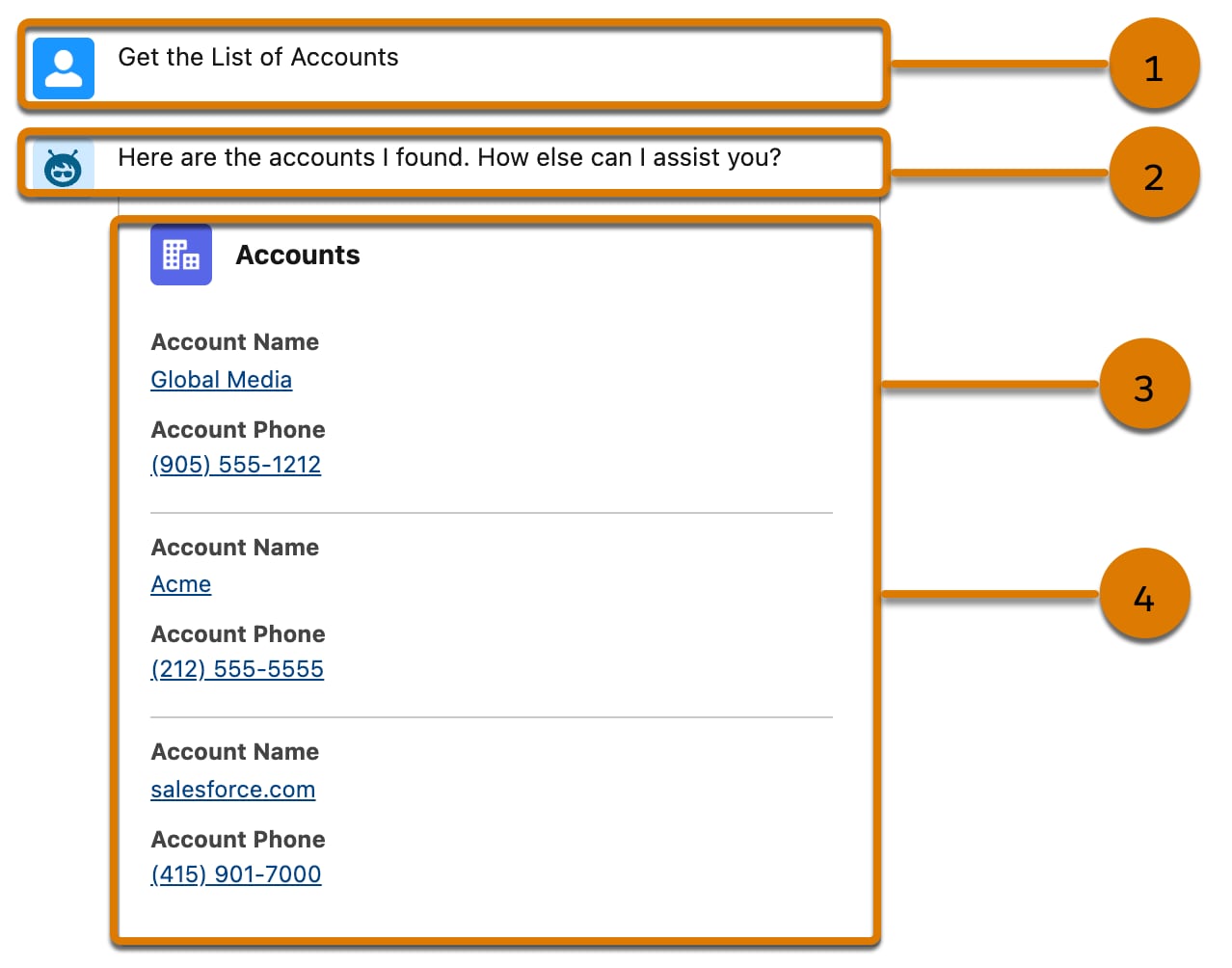
The agent action output has these elements.
To apply your custom user interface, connect your custom Lightning type to the agent action’s parameters.
j