


 j
jCreate Projects
Quick Start with Apex Development
Apex Tools
Use Anonymous Apex
Test Apex Code
Refactor Apex Code
Aura
Visualforce
Use Custom Code Templates
The Apex extension for VS Code has several useful tools for refactoring your Apex code.
You can rename any valid Apex symbol defined in your source: methods, locals, fields, properties, constructors, or types (classes, triggers, or enums). To perform a rename, right-click the symbol that you want to rename and select Rename Symbol.
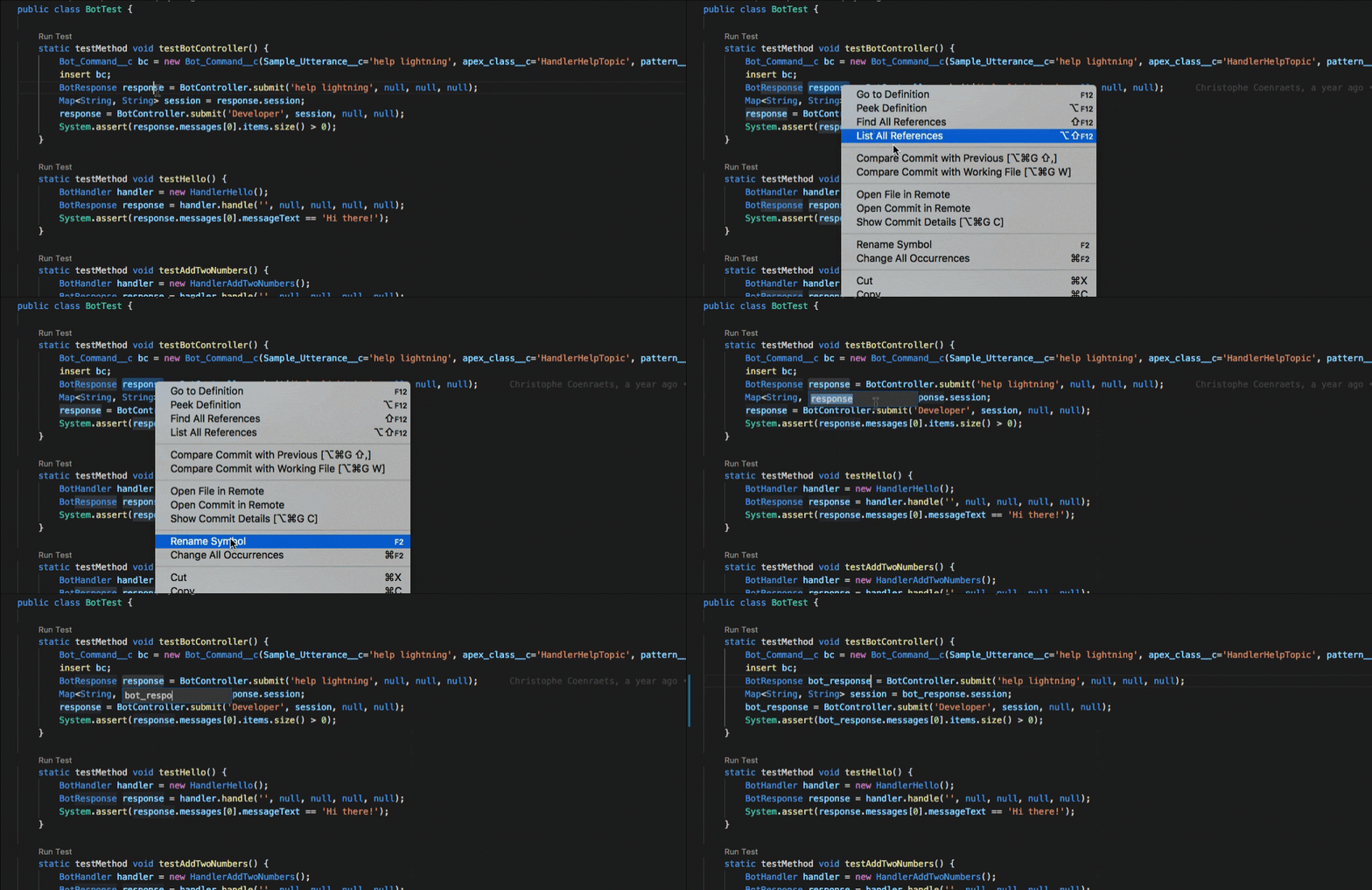
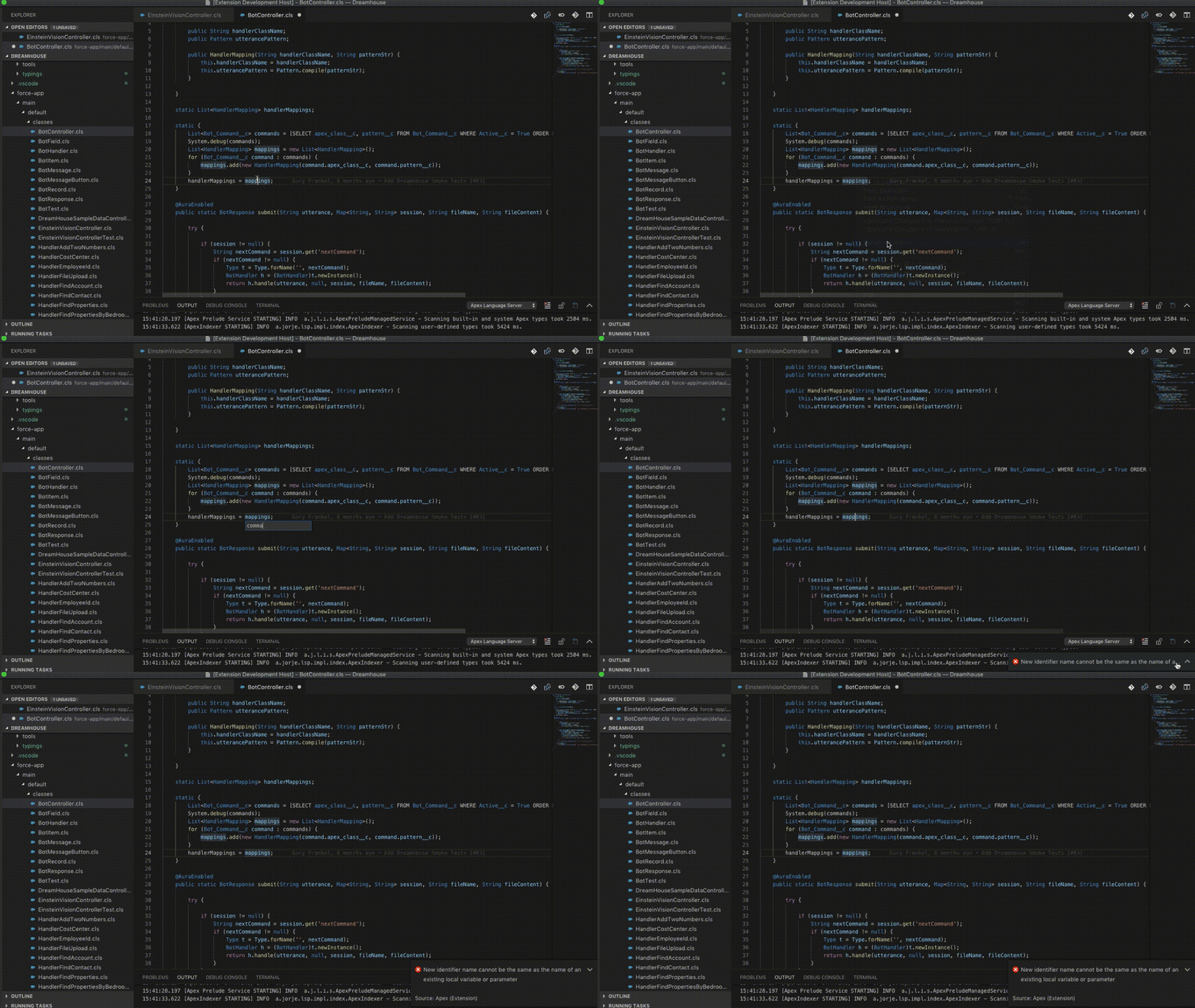
Validation of the new symbol name is performed before applying the rename. If the validation fails, an error message explains the reason why the rename refactoring couldn’t be applied. Validation fails if the new name isn’t a valid Apex identifier or, sometimes, if the new name conflicts with an existing identifier name. (If these situations were allowed, a compiler error or a runtime behavior change could result.)
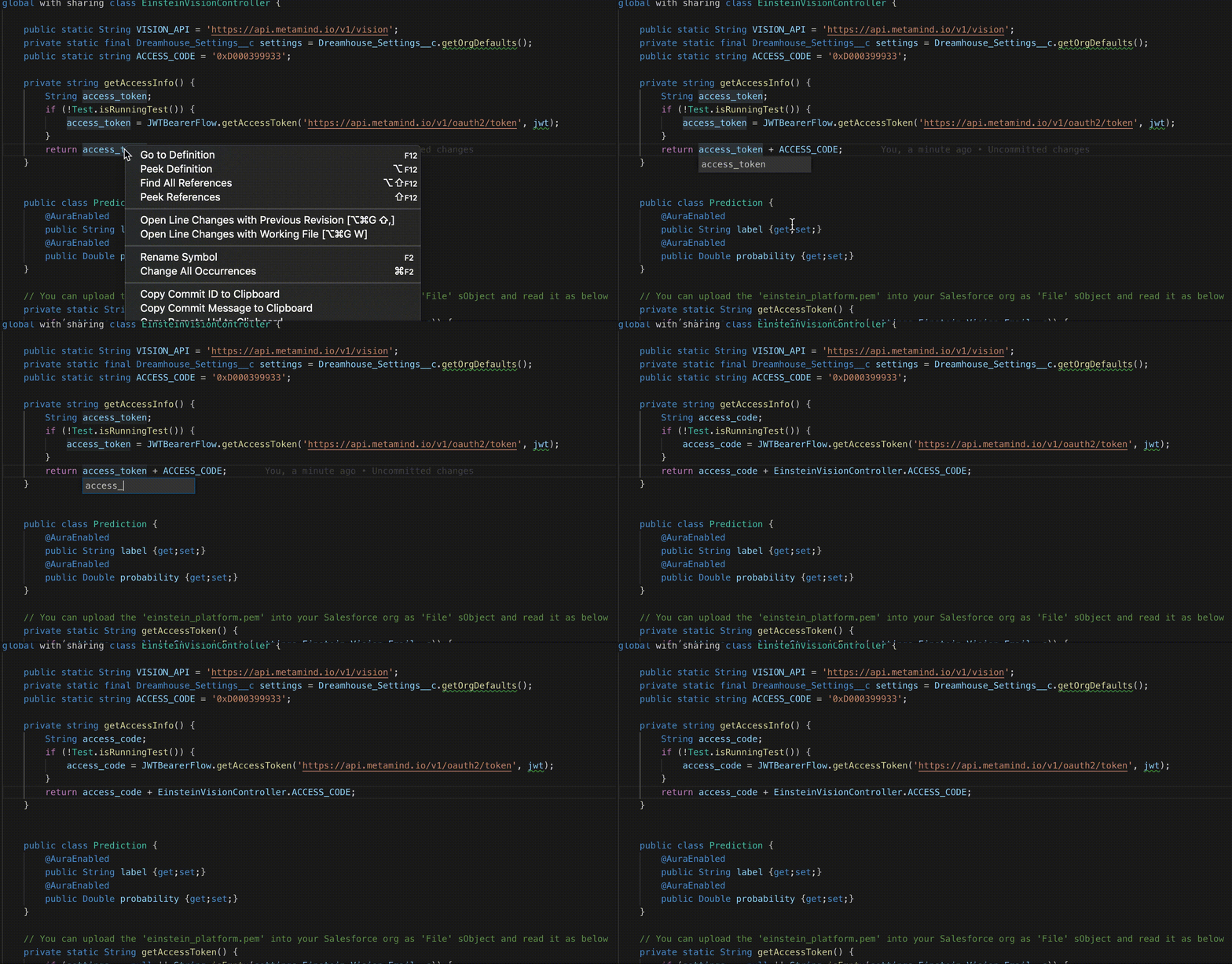
If the new name conflicts with an existing identifier name, we try to fully qualify the references to the existing name in contexts where the conflicts exist.
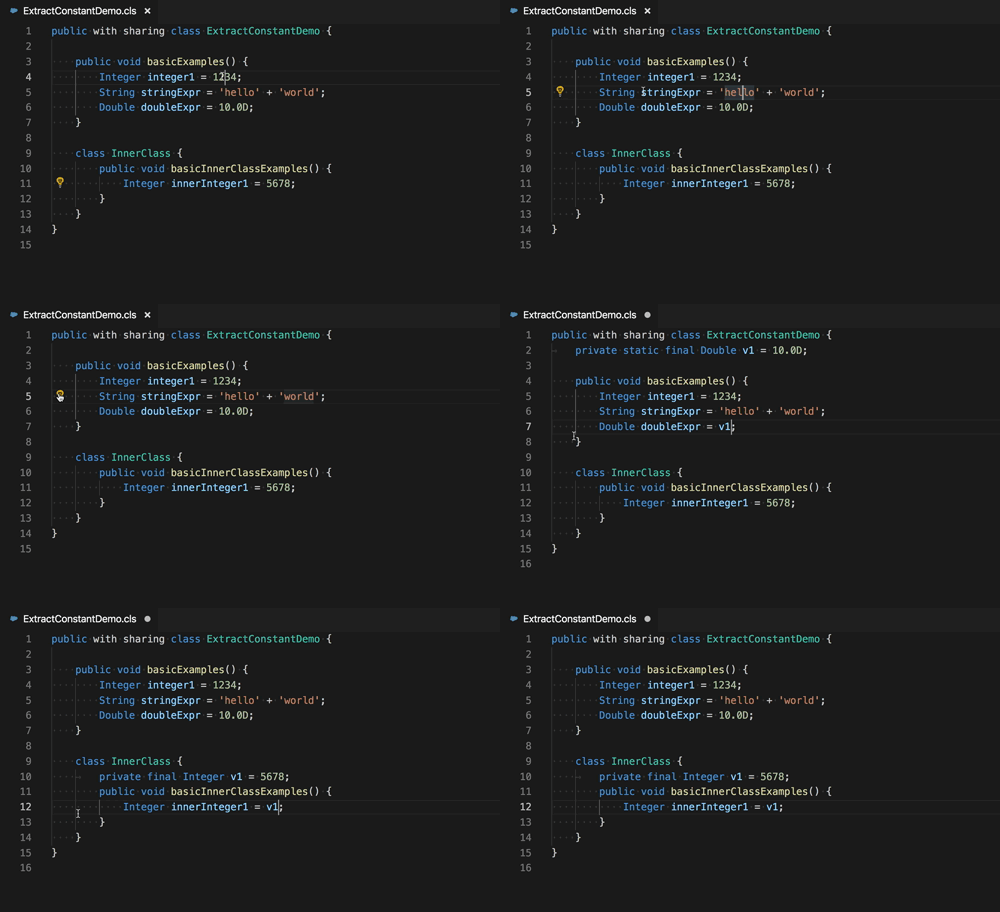
You can extract literals into constants. Literals include: String, Integer, Long, Double, Decimal, and Boolean.
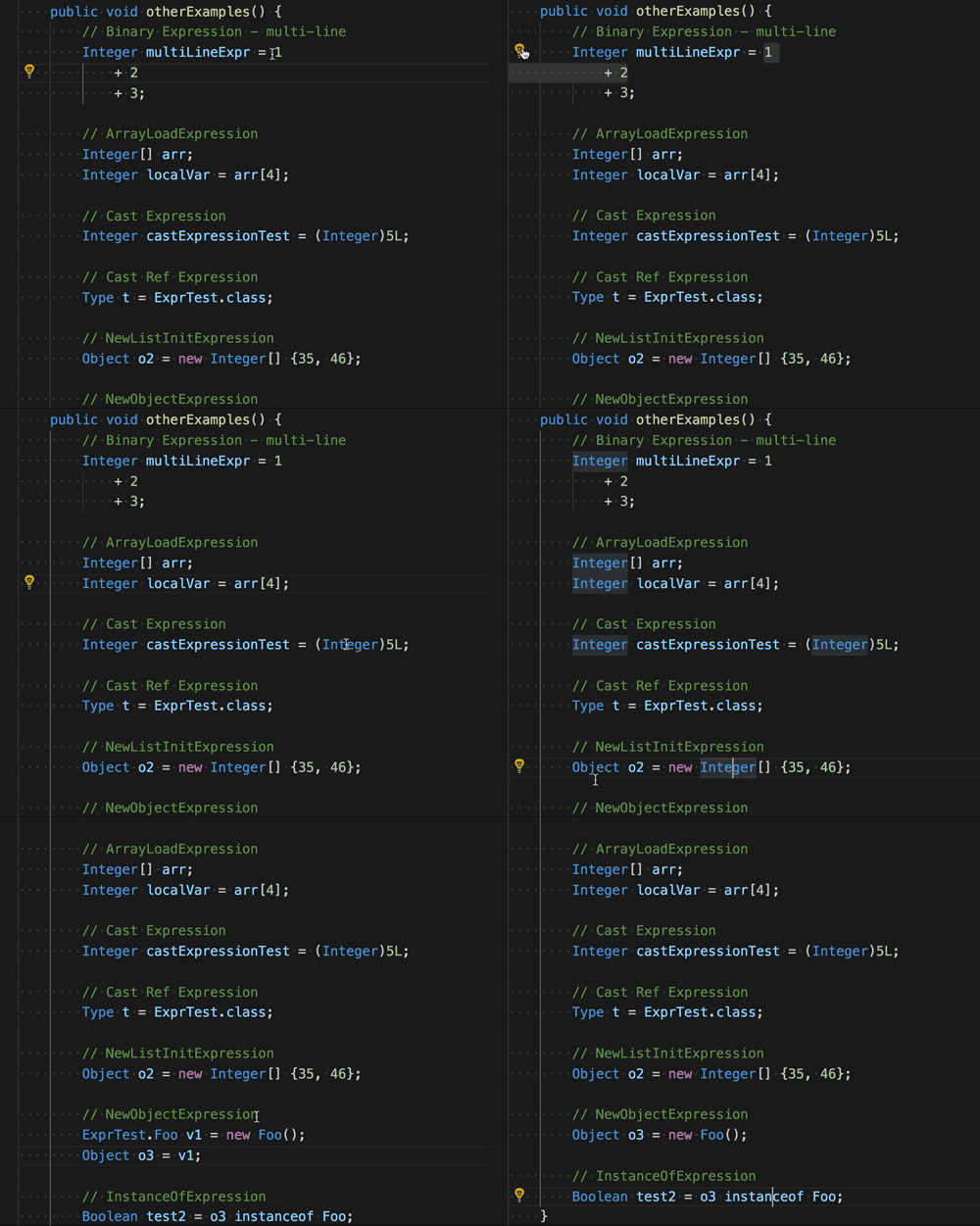
You can extract expressions into local variables.
j