


 j
jUse Prebuilt Language Models
Use the OCR Model to Detect Text
Detect Text and Entities in Business Cards
Detect Text and Tables
Einstein OCR Model Card
Extract Data from Custom Forms (Beta)
Extract Data from Invoices (Beta)
In this walkthrough, you use the Einstein OCR API to pass an image into the OCR model. The model detects any text in the image and returns the text and other details in the response.
A valid JWT token is required to make API calls.
Find your key file. If you already created an account, locate the einstein_platform.pem file that you downloaded as part of that process. This file contains your private key.
Install cURL. You use the cURL command-line tool throughout the following walkthrough. The tool is installed by default on Linux and OSX. If you don’t already have it installed, download it from https://curl.haxx.se/download.html. Alternatively, you can use Postman to make API calls.
Get a token. The Einstein Intent API uses the OAuth 2.0 JWT bearer token flow for authorization. Use the token page to upload your key file and generate a JWT token.
Copy and paste the following cURL call into a text editor and replace <TOKEN> with your valid token. This command works on Windows. If you’re on Linux, it can require some format changes, such as from double quotes to single quotes. This command uses the model OCRModel.
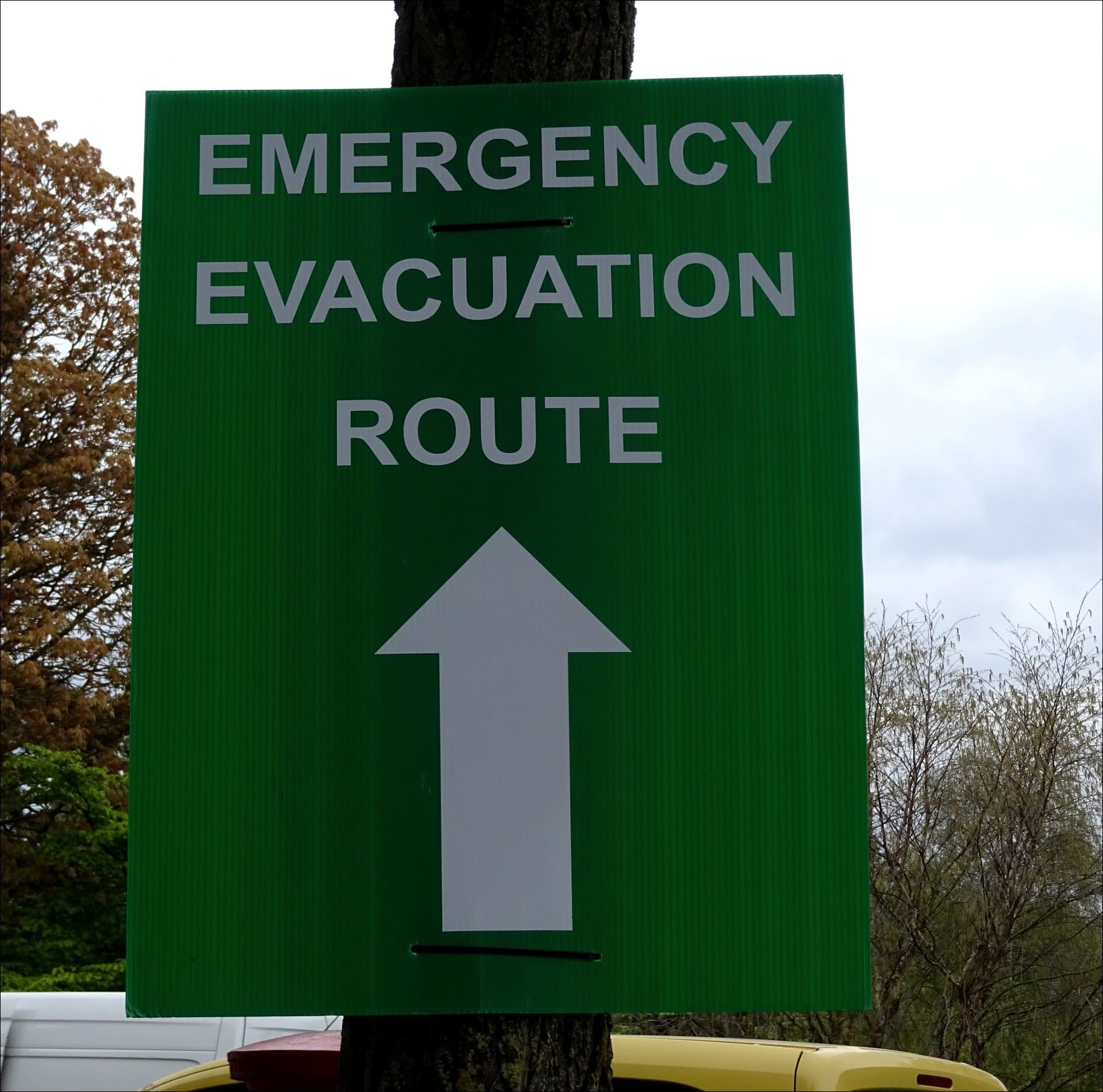
1curl -X POST -H "Authorization: Bearer <TOKEN>" -F sampleLocation="https://www.publicdomainpictures.net/pictures/240000/velka/emergency-evacuation-route-signpost.jpg" -F modelId="OCRModel" https://api.einstein.ai/v2/vision/ocrThe URL references this image.
You get a response like the following JSON.
1{
2    "object": "predictresponse",
3    "probabilities": [
4        {
5            "probability": 0.99937266,
6            "label": "ROUTE",
7            "boundingBox": {
8                "minX": 588,
9                "minY": 692,
10                "maxX": 1145,
11                "maxY": 807
12            },
13            "attributes": {
14                "pageNumber": "1"
15            }
16        },
17        {
18            "probability": 0.99471515,
19            "label": "EMERGENCY",
20            "boundingBox": {
21                "minX": 355,
22                "minY": 217,
23                "maxX": 1370,
24                "maxY": 328
25            },
26            "attributes": {
27                "pageNumber": "1"
28            }
29        },
30        {
31            "probability": 0.99469215,
32            "label": "EVACUATION",
33            "boundingBox": {
34                "minX": 345,
35                "minY": 433,
36                "maxX": 1376,
37                "maxY": 567
38            },
39            "attributes": {
40                "pageNumber": "1"
41            }
42        }
43    ],
44    "task": "text"
45}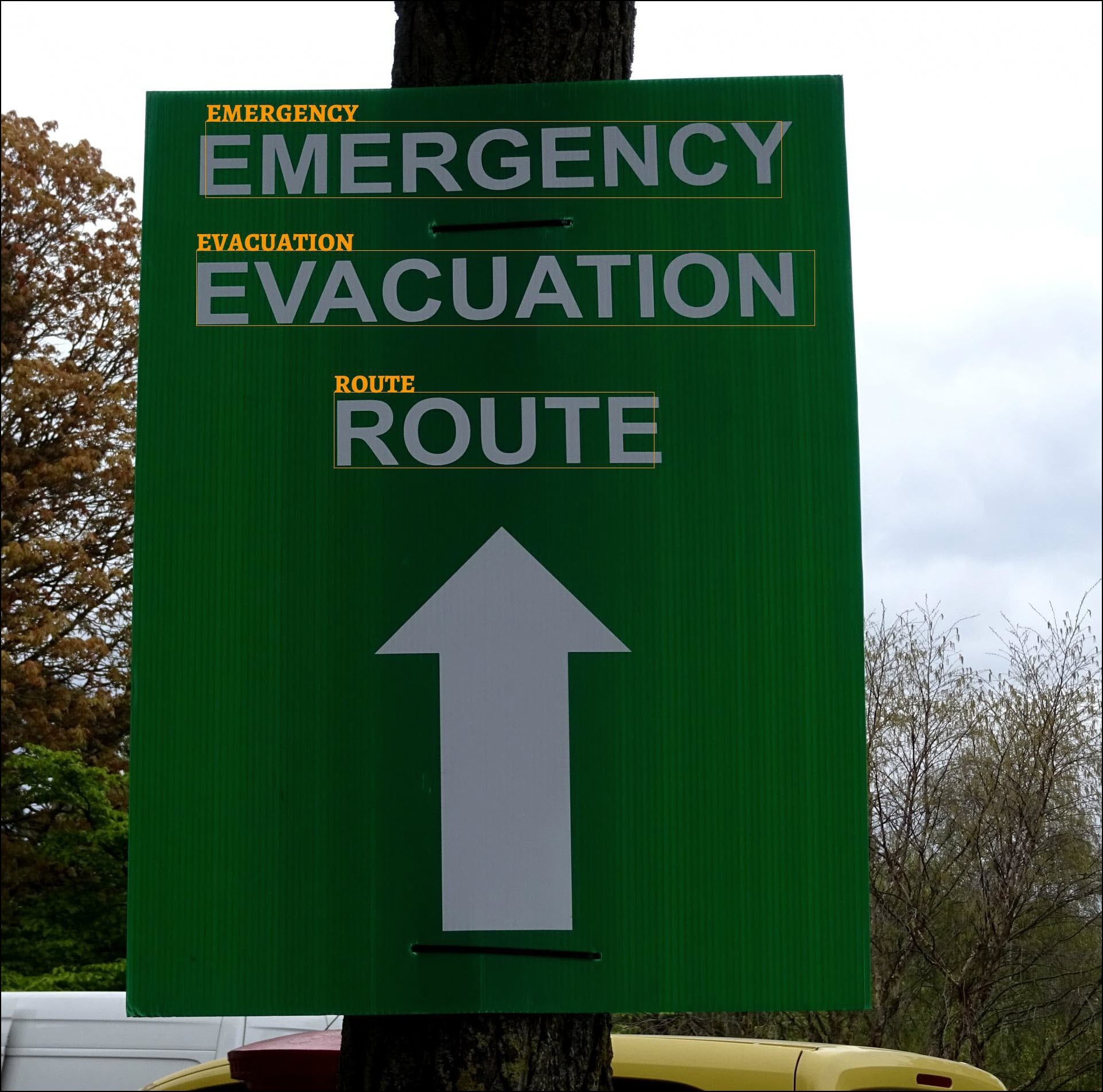
j