After evaluating the interaction based on the data returned from the source query, CRM Analytics produces this filter.
1q = filter q by bar == 32;
If a selection returns multiple values, asEquality() inserts the 'in' operator, instead of ==, in the filter statement. For example, this filter condition determines if any value in the “grouping” column equals “bar”.
If the selection returns first and second, the filter becomes:
1q = filter q by bar in["first","second"];
Note
Filter Example with the in Operator (Compact Form)
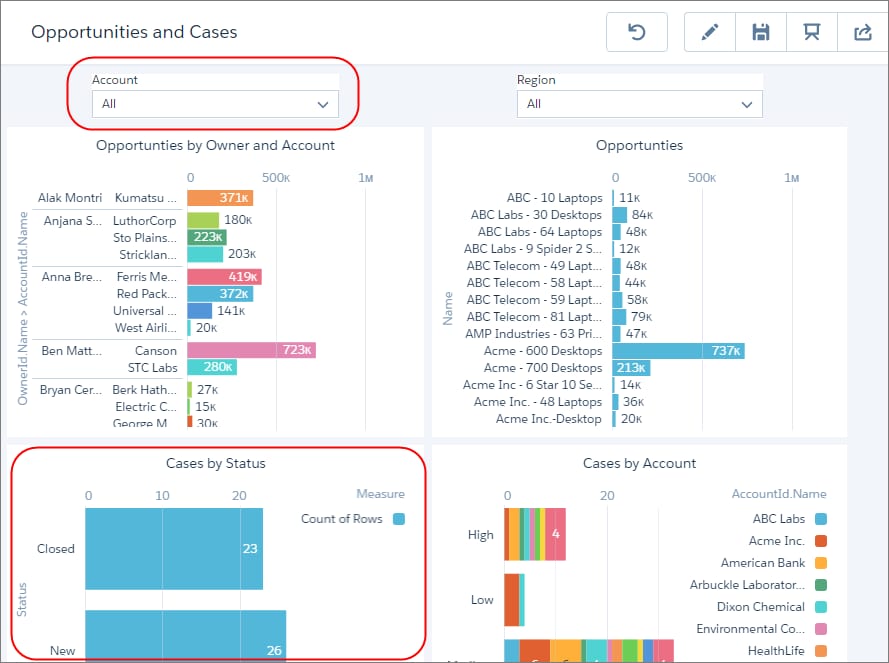
Let’s say you want to filter the Case by Status widget in this dashboard based on the account selected in the Account list widget.
Faceting doesn’t work in this case because the queries on these widgets are based on different datasets. To enable filtering, create an interaction in the Cases by Status widget’s query (Status_1) based on the selection in the Account widget’s query (AccountId_Name_1). This interaction compares the value of the AccountId.Name field in the Status_1 query to the selected values in the AccountId.Name field of the AccountId_Name_1 query. Because there can be multiple selected account names, use the in operator.


 j
j