Send Voicemails to Reps
Let customers send your reps voicemails that reps can review along with a transcription.
When your customer chooses to leave a voicemail through your telephony system, use the Telephony API to create or update a VoiceCall record. When calling the API, set the callOrigin parameter to Voicemail. See Create a Voice Call Record and Update a Voice Call Record in the Telephony API documentation. This call record can contain both the recording and the transcription.
When a voicemail is routed to a rep, if the transcription is still being processed in Salesforce, it may not show up when the rep accepts the voicemail. If that’s the case, the rep can refresh the page to see the transcription when it’s ready.
Voicemails are routed through Omni-Channel using an Omni-Channel flow. An admin can create a flow that routes voicemails to a particular queue. You can create a queue in setup and add a routing configuration to the queue (by using a routing other than External Routing).
You can also define a single flow that routes both voice calls and voicemails, and then branch your routing by using the callOrigin field of the VoiceCall record.
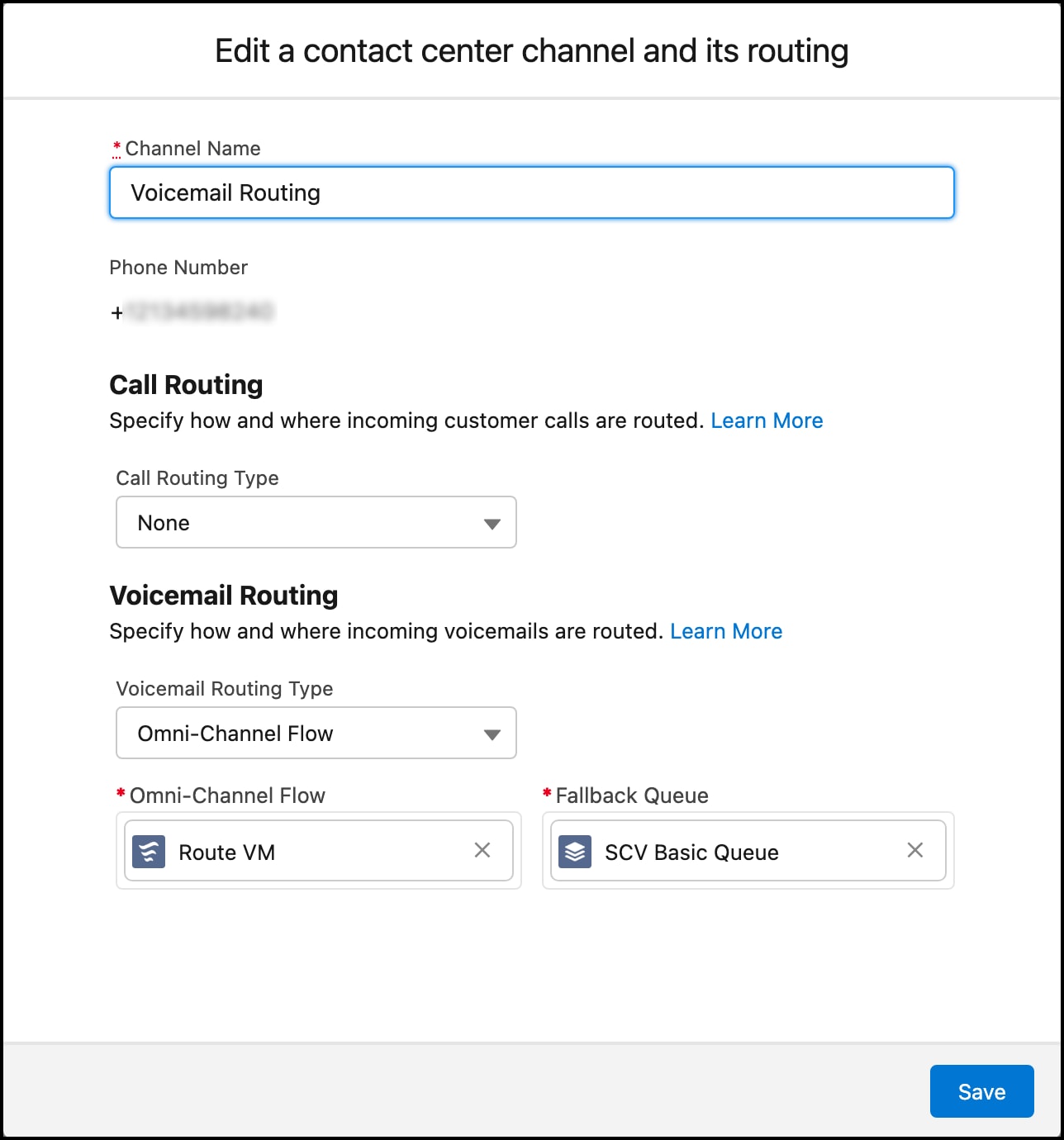
Voicemail routing can be defined for any inbound phone number in the contact center channels section.
- The customer calls the Contact Center number.
- The partner system creates a VoiceCall using the Create a Voice Call Record Telephony API.
- If no reps are available, the customer chooses to leave a voicemail.
- The customer records a voice message.
- The partner system updates the VoiceCall using the Update a Voice Call Record Telephony API. With this API call,
isActiveCallis set totrueto ensure that the conversation isn’t closed, as we have more updates ahead. Also,callOriginis set to"Voicemail"to ensure that the call is tagged as a voicemail message. (Alternatively, the partner can set thecallOriginwhen creating the call earlier if they know this information when the call record is first created.) - The partner system creates a transcription using the Create a Transcript Telephony API.
- The partner system executes an Omni-Channel Flow using the Telephony API. With this API, the
dialedNumberparameter contains the routing configuration that is defined in the Contact Center details page. (Make sure thatcallOriginis updated to"Voicemail"before this API call so that the flow picks the voicemail routing instructions.) - The partner system does a final update (using the Update a Voice Call Record Telephony API) so that the conversation is completed by setting
isActiveCalltofalse, along with the recording details.
For a complete example implementation, see the demo connector code.
A sample REST call to the Telephony API that includes the callOrigin parameter when creating a VoiceCall record: