Learn about Storefront Next features that are part of the Storefront Next monthly releases.
Because the Storefront Next v1.0.0 release was a major launch, the initial release notes of Storefront Next are in Storefront Next Version 1.0.0 Release in the Salesforce Release Notes.
Note
To check out detailed changes in Storefront Next releases, see the releases page in the storefront-next-template GitHub repository. The changes listed in the releases page correspond to merged pull requests, which are the underlying changes of Storefront Next features.
September 1, 2026 - Storefront Next 1.3.0
Guest Shoppers Can Look Up Orders Quickly Without Registration
Enable guest shoppers to look up their order status, shipment tracking, and other details in Storefront Next for orders placed without authentication or account registration. The self-service order lookup feature reduces support inquiries and costs, and improves the post-purchase shopper experience. The guest shopper provides the order number and an email address that’s different than the one in their registered account. To make sure only the order recipient can access the order details, guest shoppers must undergo multi-factor verification via email. Guest order lookup returns read-only order details—guests can’t make changes to the order, such as canceling an order or returning order items, which require authentication. This feature is turned off by default.
Where: This feature is available in Storefront Next 1.3.0.
Link Your Storefront to a GitHub Repository in Business Manager
Connect a storefront that was set up with the Salesforce CLI option to an existing GitHub repository in Business Manager. Linking a repository to GitHub enables version control, team collaboration, and CI/CD pipelines for your storefront code. Also, it provides the prerequisites required to install Commerce Apps in your storefront. This feature links existing repositories only and doesn’t create a new one.
When: This change is part of B2C Commerce 26.9.
How: In Business Manager, click App Launcher and then select Administration > Sites > Storefronts. Select a storefront that was created with the Salesforce CLI option, and then click Connect to GitHub.
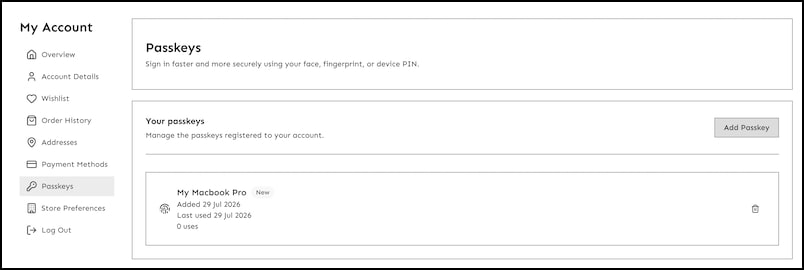
Offer passwordless login with passkeys so shoppers can sign in with a device biometric or security key instead of a password. Built on the WebAuthn and FIDO2 standards, passkeys use public key cryptography: the shopper’s device holds a private key that never leaves the authenticator, and Shopper Login and API Access Service (SLAS) stores only the corresponding public key. A signed-in shopper can register a passkey on any device with an authenticator, sign in on return visits, and manage or remove registered passkeys from their account. In this release, passkey support doesn’t include hybrid storefronts that use Storefront Next.
Where: This feature is available in Storefront Next 1.2.0.
How: Configure a SLAS client for passkeys through the SLAS Admin UI (Relying Party ID and Allowed Origins), then set features.passkey.enabled to true in config.server.ts. Choose an OTP delivery method with features.passkey.mode (email or callback).
Manage Sites for Storefront Next in Business Manager
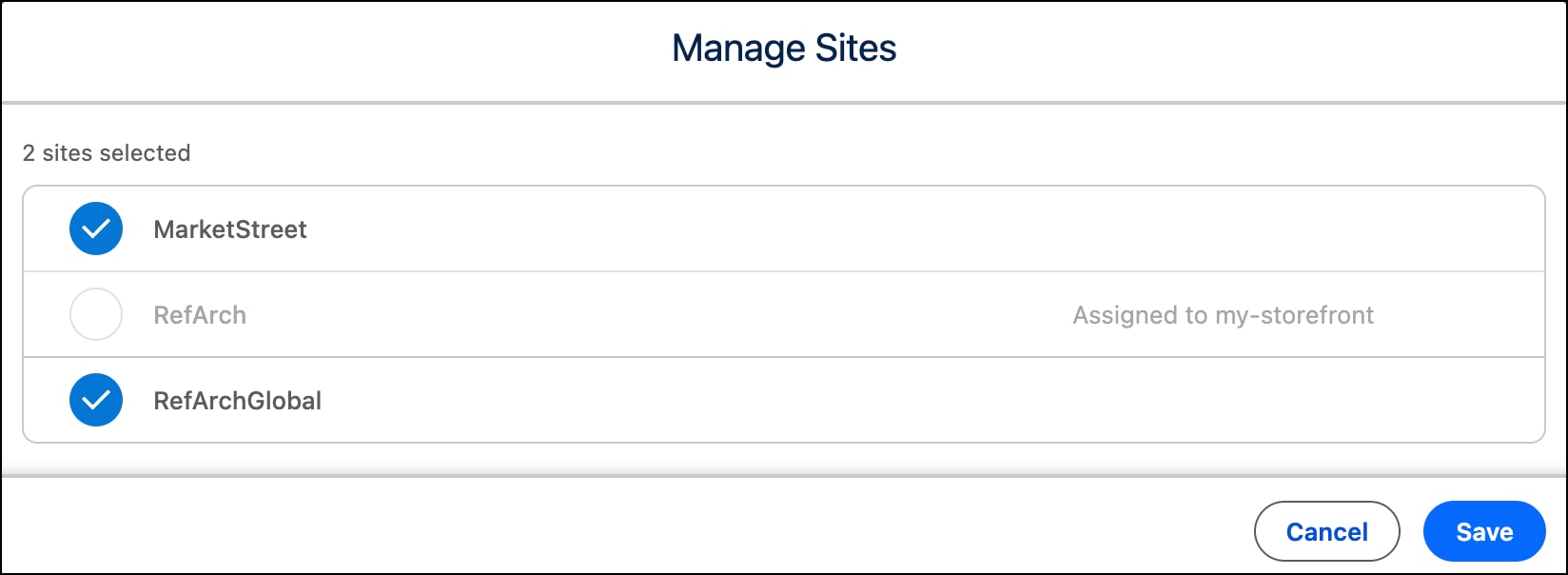
Change the sites assigned to a provisioned storefront after Storefront Next is set up in Business Manager. Add sites for new locales, brands, or markets, or remove sites you no longer need. Site changes propagate to Shopper Login and API Access Service (SLAS) for authentication to B2C Commerce API (SCAPI), and to Managed Runtime (MRT) for environment variable updates. Site management provides a straightforward way to evolve your storefront’s site list while keeping all other setup configurations intact. Starting in Storefront Next 1.2, site assignments in the storefront detail page in Business Manager are synchronized live to the storefront from the MRT Data Store without requiring configuration changes in config.server.ts. Before Storefront Next 1.2, the storefront accessed sites in commerce.sites, which the MRT Data Store replaces for site assignment retrieval.
Where: This feature is available in Storefront Next 1.2.0 and B2C Commerce 26.8.
When: This feature is available a few days after the Storefront Next 1.2.0 release.
Use the new built-in engagement adapter for Data 360 (formerly Data Cloud) to send analytics events to Data 360. After you connect Storefront Next to Data 360 and set your store as a data source, Data 360 receives engagement events, which are triggered by shopper activities in your storefront. The adapter sends only view and impression events, such as viewing a page. Click events aren’t supported.
These view and impression events are supported.
view_page: A shopper views a page.
view_product: A shopper views a product detail page.
view_search: A shopper views a category or listing page.
view_category: A shopper performs a product search.
view_recommender: A shopper views personalized recommendations.
Where: This feature is available in Storefront Next 1.2.0.
Integrate Storefront Next with Salesforce Order Management
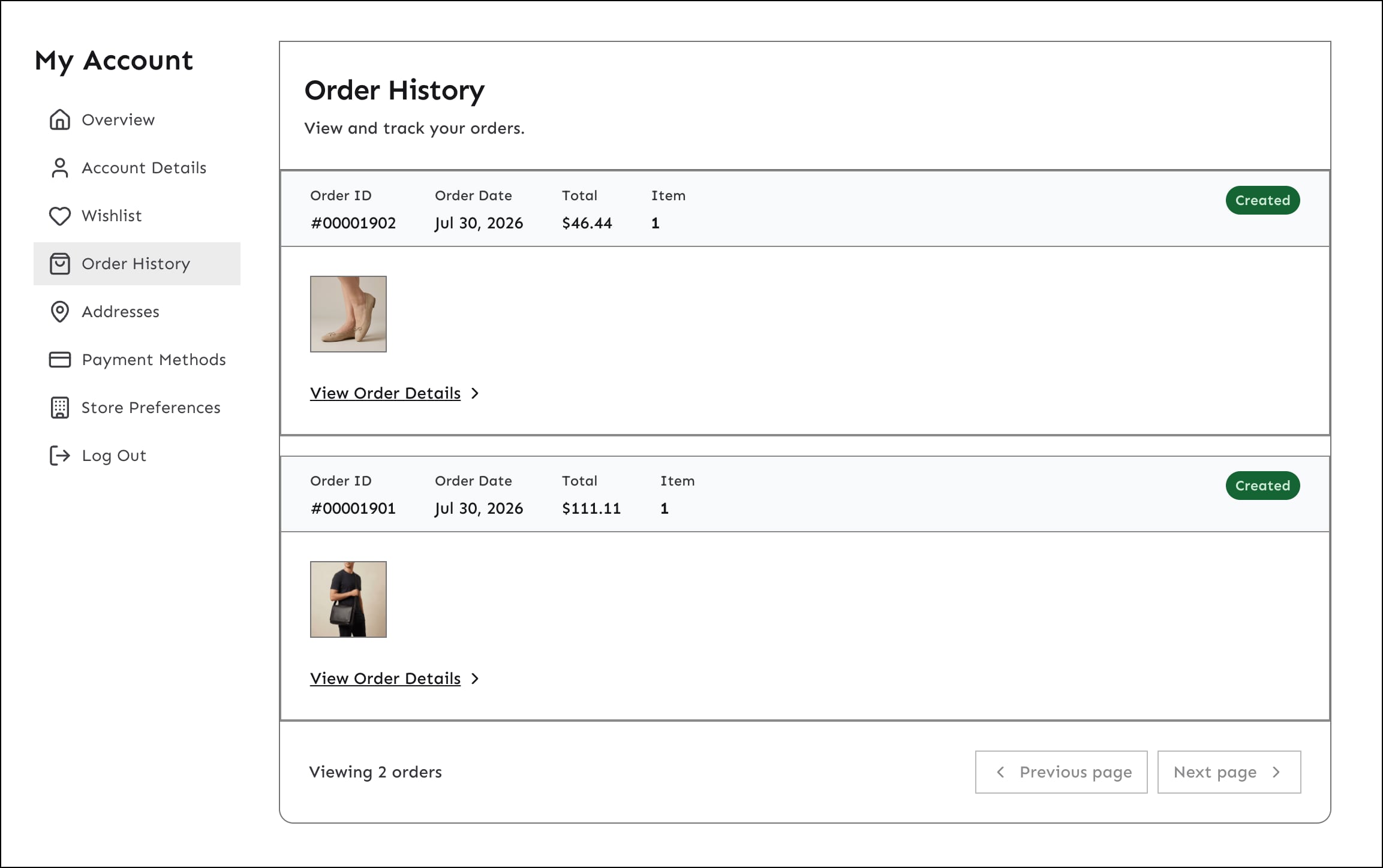
With the integration with Salesforce Order Management (SOM), Storefront Next displays orders from SOM in the order history page and order detail page. Shoppers can check the status of their orders and manage their orders from Storefront Next. They can track shipment, return items, and cancel an eligible order. The integration keeps storefront orders synchronized with the merchant’s backend order management system. Providing shoppers with self-service order management capabilities from within the storefront enhances the shopper experience and reduces support costs. The integration requires that you set up a connection between the B2C Commerce instance and the Salesforce Order Management (SOM) organization.
Where: This feature is available in Storefront Next 1.2.0.
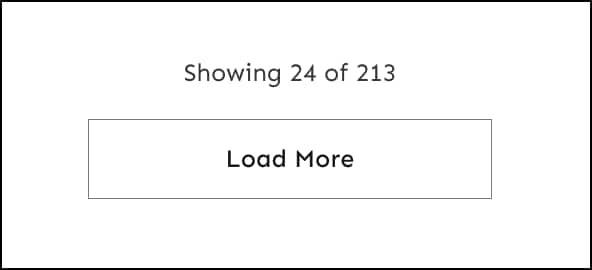
The Load More button replaces numbered pagination on product listing pages, appending products without page reloads or scroll position loss. Shoppers stay in a continuous discovery flow as they click to load more products. A progress indicator shows “Showing X of Y products” to maintain context while browsing. The load more behavior offers a better shopper experience than numbered pagination, which breaks browsing flow because of full page reloads. The Load More button is enabled by default. Use the uiConfig.pages.category.pagination configuration to set pagination properties or switch to numbered pagination.
Where: This feature is available in Storefront Next 1.2.0.
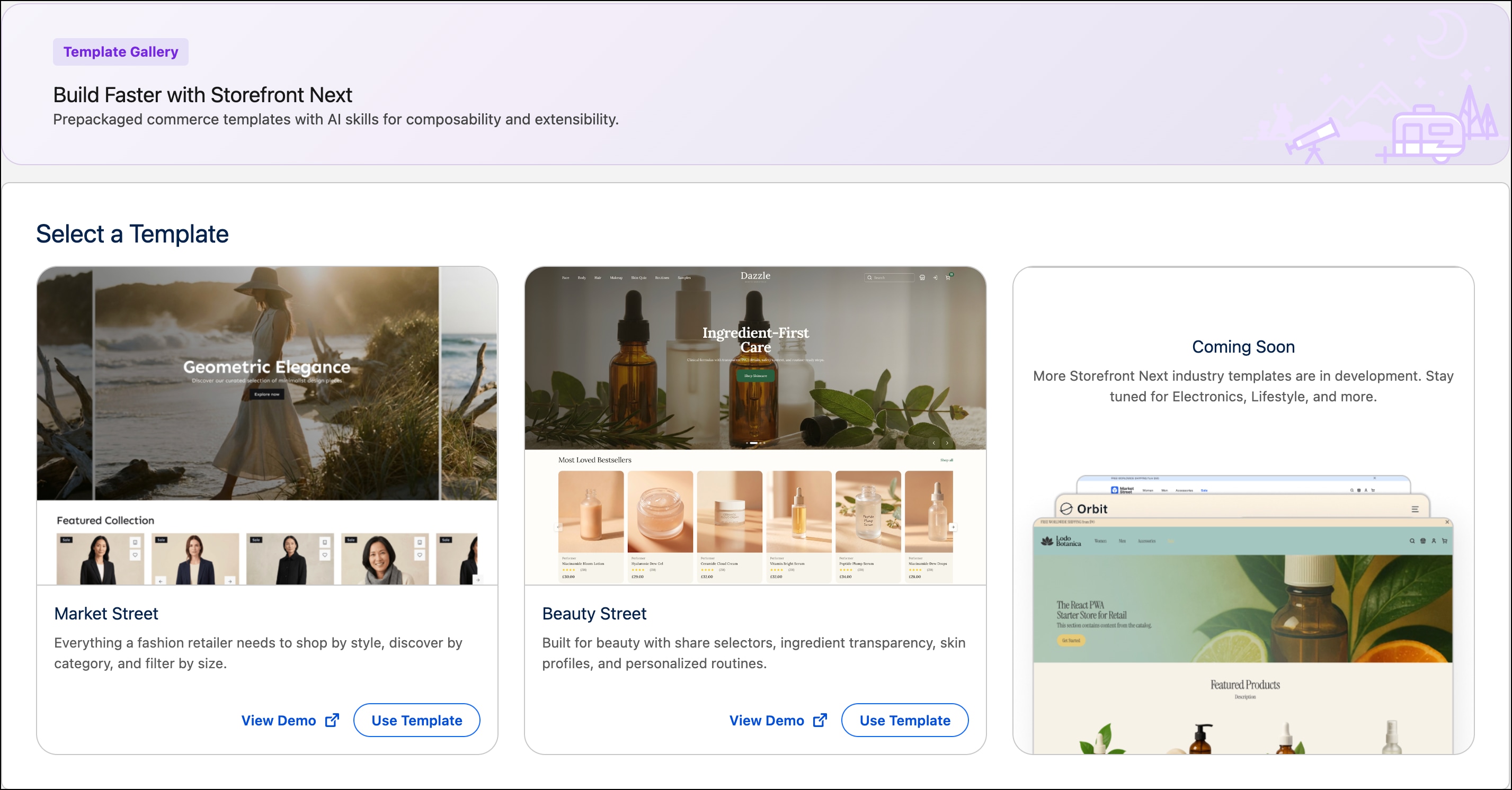
Speed Up Storefront Next Development with the Beauty Street Template
Save time by choosing the new Beauty Street template for storefronts that offer beauty and cosmetic products. The Beauty Street template is customized for the beauty industry. It provides attributes that are specific to beauty products, a custom layout, theme, and style. As part of storefront setup in Business Manager, select the template that’s most suitable to your storefront’s products and industry.
When: This change is part of B2C Commerce 26.8.
How: In Business Manager, click App Launcher and then select Administration > Sites > Storefronts > New Storefront. Click Use Template for the selected template.
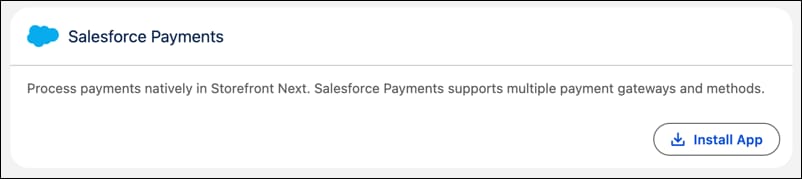
Process Payments Natively in Storefront Next with Salesforce Payments
Streamline the checkout experience by offering shoppers multiple payment methods and third-party payment gateways, including Adyen, Stripe, and PayPal, with Salesforce Payments. Simplify the cost and complexity of payment implementation.
Where: This change applies to Storefront Next for B2C Commerce.
When: This feature is available after the B2C Commerce 26.7 release and is in Storefront Next version 1.1.0.
How: In Business Manager, click App Launcher, and then select Merchant Tools > Site > Ordering > Commerce Apps. In the Providers section, for Payments, click Get Started. Install and configure Salesforce Payments.
Maintain Shopper Sessions Across Subdomains in Storefront Next
Configure a shared parent cookie domain to keep shoppers logged in with their baskets preserved when navigating between different subdomains. The domain-level cookie applies to storefronts that use multiple subdomains, such as www. and shop. on the example.com domain. It also applies to hybrid PWA Kit and SFRA storefronts that serve different paths under one parent domain. Without this configuration, shoppers lose their login status and shopping baskets when crossing subdomain boundaries. The loss of login status happens because browsers isolate cookies to individual hosts by default. Prevent frustration and abandoned carts by setting up domain-level cookies.
Secure Your Storefront and Stabilize APIs by Upgrading to React Router 7.18
As part of upgrading your storefront to Storefront Next 1.1, you must upgrade React Router 7.12 to 7.18. React Router 7.18 provides improved security and stabilized APIs. It fixes an unauthenticated remote-code-execution vulnerability plus four additional security advisories in the turbo-stream dependency. The upgrade replaces several unstable_* API symbols with their stable counterparts, reducing breaking changes in future updates. Pin React Router and every @react-router/* package to 7.18.0 in package.json to prevent using an untested patch. Use the migration guide to perform the upgrade.
Where: This change applies to Storefront Next storefronts that use React Router 7.12 or earlier.
Why: The migration guide organizes the eight API stabilizations by how they surface—silent failures, typecheck-caught issues, and prefix swaps—so you can address high-risk changes first. For instance, the unstable_instrumentations export rename is silent at compile time but causes OpenTelemetry spans to fail at runtime if missed. The guide flags this upfront. You also get fixes for two React Router 7.16+ behavioral changes: an MRT streaming-drain issue that caused long responses to hang, and a fetcher idle-race condition that prevented checkout actions from firing. Both fixes ship in the SDK, so most projects inherit them automatically.
How: To learn more about the migration steps, check out Migrating to React Router 7.18 in the storefront-next-template GitHub repository. The migration guide includes step-by-step instructions, a Claude Code integration, code examples for each rename, and a verification checklist. To automate the migration, paste the guide into a Claude Code session with the framing prompt provided in the “7. Using this guide with Claude Code” section. Claude Code drives the entire rename set while skipping changes your project doesn’t need, such as SDK-internal fixes or test-only updates. After the migration, run the verification checklist to confirm all packages pin exactly to 7.18, typechecking passes, and no instrumentation warnings appear in your dev log.


 j
j